8
English
Functional Overview
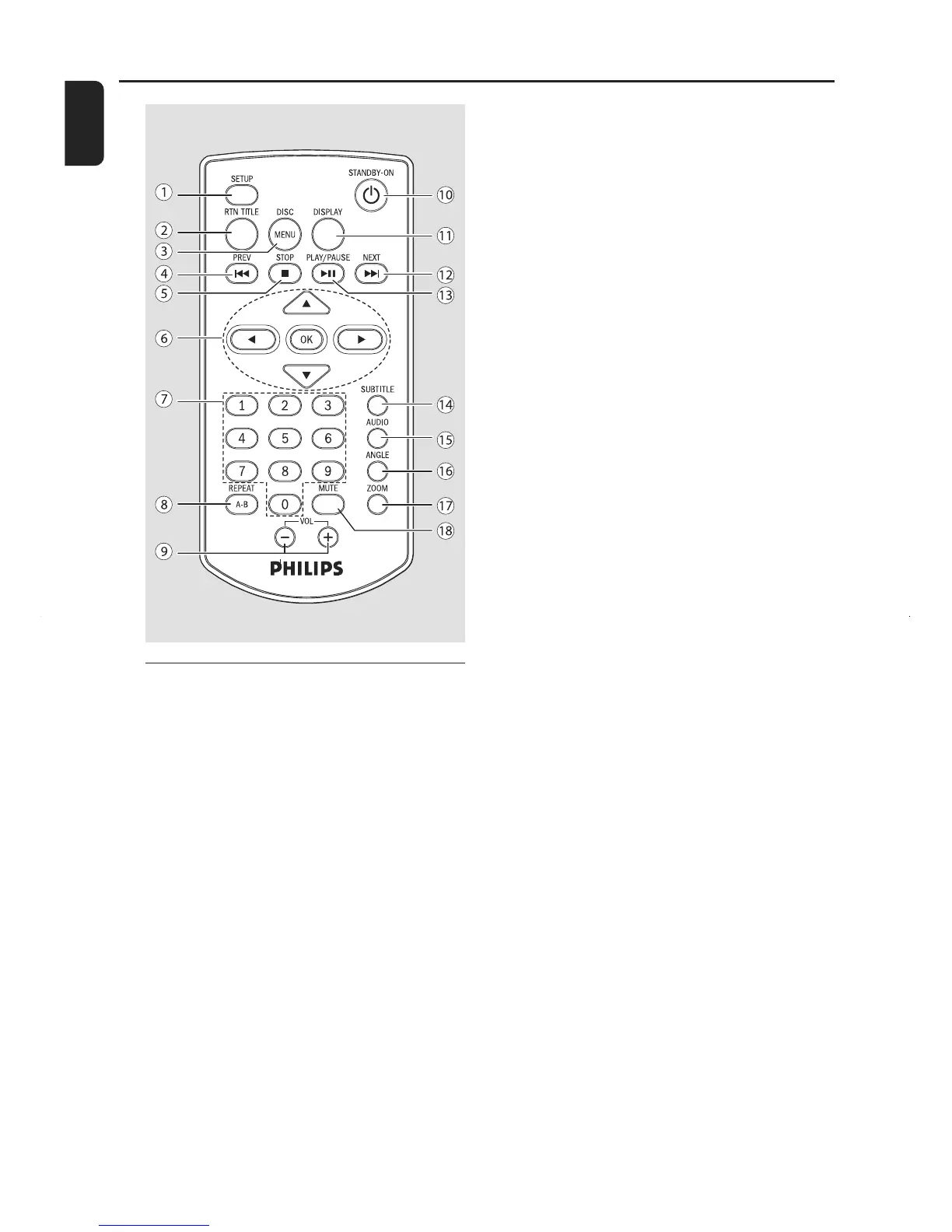
Remote Control
1 SETUP
– enters or exits the system menu..
2 RTN TITLE
– to go back to previous menu/show title menu.
3 DISC MENU
– for DVD, enters or exits disc contents menu.
– for VCD/SVCD, toggle between PBC ON or
OFF.
4 PREV Ià
– skips to the previous chapter/title/track.
– hold to fast searches backward in a disc at
different speeds.
5 STOP Ç
– stops disc playback.
6OK
– confirms a selection.
▼ / ▲ / Ñ/É
– selects an item in a menu.
– moves an enlarged picture down/up/left/right.
▲
– select the slow speed.
7 Numeric Keypad (0-9)
– inputs a track/title/chapter number of the disc.
8 REPEAT A-B
– selects various repeat mode, or
– repeats playback of a specific section within a
chapter or a track.
9 VOL +/-
– adjusts the volume upward/downward.
10 STANDBY-ON B
– switches the system on or to standby mode.
11 DISPLAY
– displays the current status and or disc
information.
12 NEXT áI
– skips to the next chapter/title/track.
– hold to fast searches forward in a disc at
different speeds.
13 PLAY/PAUSE ÉÅ
– starts or interrupts disc playback.
14 SUBTITLE
– selects a subtitle language.
15 AUDIO
– selects an audio language(DVD/VCD) or an
audio channel
16 ANGLE
– view the same scene from different angels.
17 ZOOM
– zoom in or out the picture.
18 MUTE
– disables or enables sound output.



 To Next Page