25
English
DVD Menu Operations
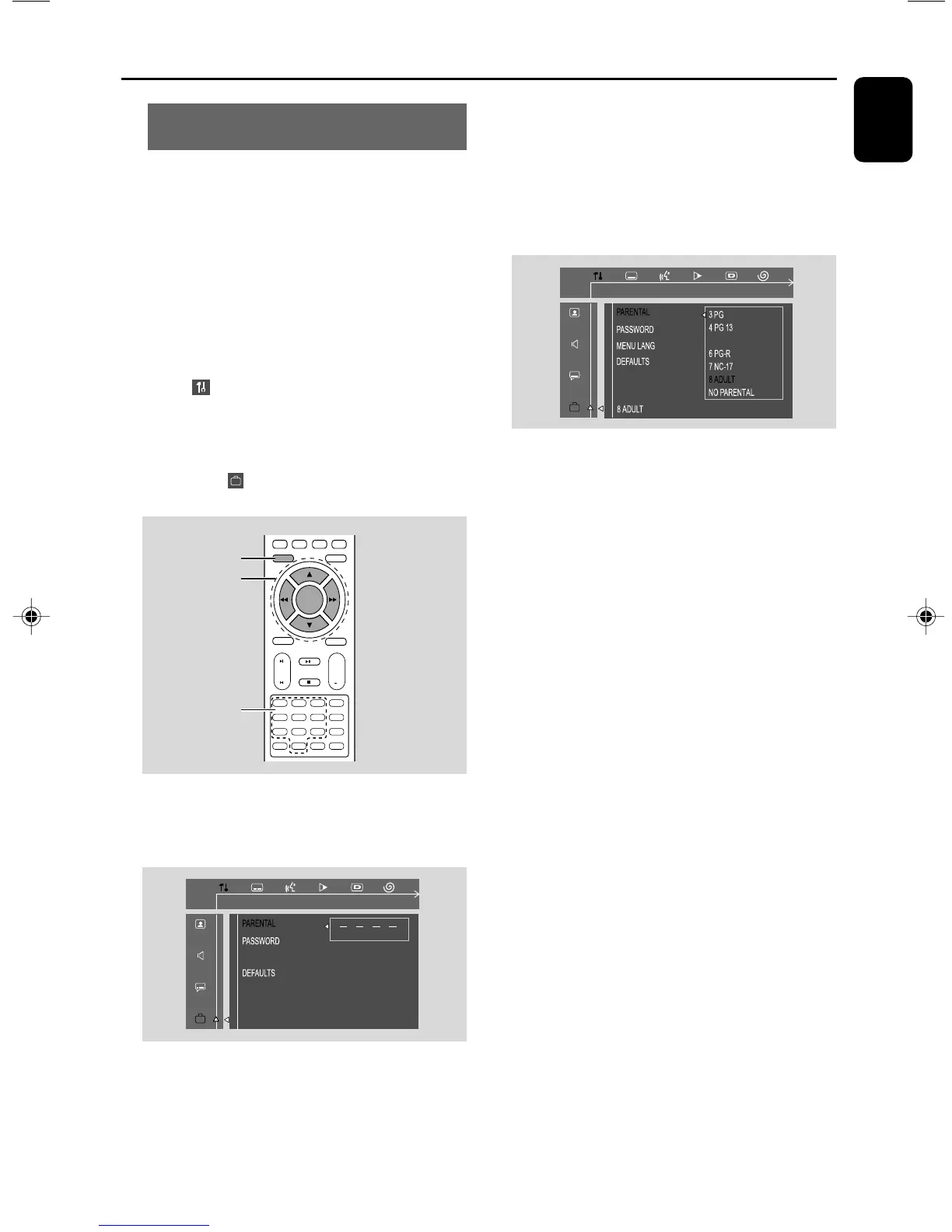
Restricting playback by setting parental
level
Some DVDs may have a parental level assigned
to the complete disc or to certain scenes on the
disc. This feature lets you set a playback limitation
level. The rating levels are from 1 to 8 and are
country specific. You can prohibit the playing of
certain discs that are not suitable for your
children or have certain discs played with
alternative scenes.
1 In disc mode, press SYSTEM MENU.
2 Select icon and press 4.
➜ Playback will pause.
3 Press à / á/4/3 on the remote control to
navigate in the menu.
➜ Move to , and press á.
➜ Move to “PARENTAL” and press á.
4 Use the numeric keys (0-9) to enter the
four-digit code. You may have to enter the same
cord twice.
5 Press 4/3 to select a rating level between 1-8
and press OK.
➜ DVDs rated above the level you select will
not play unless you enter your four-digit
password or choose a higher level rating. Select
“No Parental” to deactivate Parental level and
have all discs play.
6 Press SYSTEM MENU again to remove the
menu.
Rating explanations
NO PARENTAL - It will play all discs.
8 ADULT - material for adults only; riewed only
by adults due to graphic sexual scenes, violence,
or language.
7 NC-17 - No children under 17; not
recommended for children under 17.
6 PG-R - Parental Guidance - Restricted;
recommended that parents restrict children
under 17 from viewing or allow them to view
only when supervised by a parent or adult
guardian.
4 PG-13 - Material is unsuitable for children
under age 13.
3 PG - Parental Guidance suggested.
1 G - General Audience; recommended as
acceptable for viewers of all ages.
- OSD language (menu language)
To set the screen display language. The default
setting is English.
- Default
If RESET is selected, all the items in the setup
menu will be reset to default setting, except
Parental Setting and Password.
ENTER CODE
PLEASE ENTER PASSWORD
OSD LANG
1
4
7
2
5
8
0
3
6
9
ANGLEPROG
AUDIO MUTE
GOTO
VOL
+
ZOOM
DSC
DBB
OK
SYSTEM MENU
SUBTITLE REPEAT A-B SHUFFLE
DISC MENU
6
4
1
532
pg 001-032-mcd109_98_Eng 27/4/06, 14:4525



 To Next Page