12
English
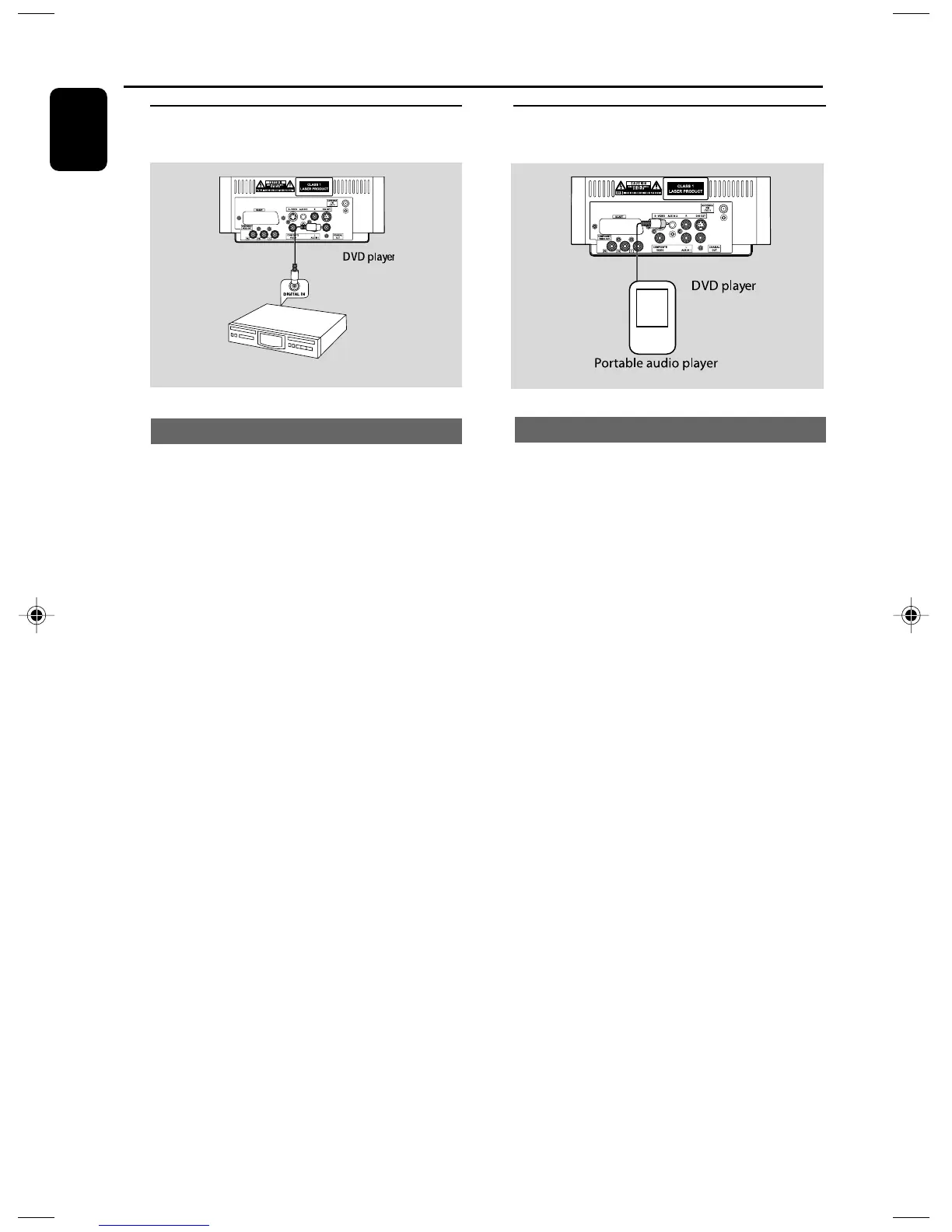
Step 7: Connecting digital audio
equipment
Digital audio recorder
Recording (digital)
Connect the system’s COAXIAL OUT (digital
out) jack to the DIGITAL IN jack on a digital
recording device (DTS-Digital Theater System
compatible, with a Dolby Digital decoder, for
example).
Before operation, set COAXIAL OUTPUT
according to the audio connection.
Connections
Step 8: Connecting portable
audio player
Portable audio player(MP3)
Connect the system’s AUX IN 2 jack to the
HEADPHONE jack (diameter 3.5mm) on a
portable audio player.
Before starting playback, press AUX1/2/TV on
the remote control to select “AUX 2” in order
to activate the input source. The music will be
heard through the speakers.
pg001-036_MCD139B_58_Eng 2007.5.18, 14:4512



 To Next Page