Need help?
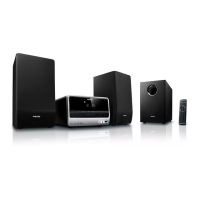
Do you have a question about the Philips MCD700/96 and is the answer not in the manual?
Describes the system's key features and capabilities.
Lists all items included with the DVD micro system.
Information regarding packaging and disposal of materials.
Guidelines for proper placement and ventilation of the system.
Instructions for cleaning and caring for the DVD micro system.
Connect speakers to the system's terminals using speaker cables.
Connect MW loop and FM antennas for radio reception.
Connect DVD player to power amplifier using flat control cable.
Connect the system to a TV for viewing DVD/VCD playback.
Connect the AC power cord to the power outlet.
Connect additional audio/visual devices and accessories to the system.
Overview of buttons and controls on the main DVD player and amplifier unit.
Introduction to the remote control's purpose and buttons.
Detailed explanation of all remote control buttons and their operations.
Controls for turning the system on/off, standby mode, source selection, and volume adjustment.
Explanation of sound enhancement features like DBB, DSC, and LOUDNESS.
Controls for headphone listening, muting, and display dimming.
Lists the types of discs supported by the DVD player.
Information on disc region compatibility.
Step-by-step guide to inserting and starting disc playback.
Navigating and using the disc's interactive menu.
Explains pausing, resuming, skipping tracks, and using the numeric keypad.
Features like resume, zoom, repeat, and slow motion for disc playback.
Creating a custom playback sequence and searching for specific content.
Displaying playback info and accessing special disc features like titles.
Options for selecting camera angles, audio languages, and subtitles on DVDs.
Instructions for playing MP3, WMA, and JPEG files from discs.
Options for selecting files, zooming, and applying slide show modes to JPEG images.
Navigating menus and configuring TV display, OSD language, and screen saver.
Settings for audio output, SPDIF, Dolby Digital, and 3D processing.
Adjusting video output modes, quality, and image parameters.
Configuring disc playback preferences, parental controls, and default settings.
Enabling/disabling password protection and setting a new password.
Tuning to radio stations, saving presets, and accessing them.
Setting and displaying the system's current time.
Configuring sleep (auto-off) and wake-up (auto-on) timers for the system.
 General
| Type | Micro Hi-Fi System |
|---|---|
| Audio output channels | 2.0 |
| Speaker type | 2-way |
| Number of speakers | 2 |
| Total Harmonic Distortion (THD) | 1 % |
| RDS | Yes |
| USB direct playback | Yes |
| MP3 bit rates | 32 - 320 kbps |
| Component video (YPbPr/YCbCr) out | No |
| Coaxial digital audio out | No |
| Power supply | AC 220-240 V, 50/60 Hz |
| Bluetooth | No |
| Playable disc formats | CD, CD-R, CD-RW |
| Tuner Bands | FM |
| Connectivity | USB, Aux-in |
| Tweeter diameter | 1 inch |
| Impedance | 6 Ohm |
| Woofer diameter | 101.6 mm (4") |

 To Next Page