EasyManua.ls Logo

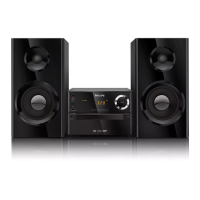
Philips MCD2010 - User Manual

Philips MCD2010
27 pages
Print Icon
To Next Page IconTo Next Page
Loading...
Register your product and get support at
www.philips.com/welcome
用户手册 27User manual 3
MCD2010
MCD2010_93_UM_V3.2.indb 1 7/1/2013 2:39:12 PM

Questions and Answers

  • T
    tsingletonAug 19, 2025
    What to do if my Philips MCD2010 Stereo System has poor radio reception?
    • M
      matthew86Sep 12, 2025
      To improve poor radio reception on your Philips Stereo System, increase the distance between the apparatus and your TV or VCR. Also, fully extend the FM antenna.
  • P
    Patricia DavilaAug 21, 2025
    What to do if my Philips Stereo System has no sound or poor sound?
    • P
      privasAug 21, 2025
      If you are experiencing no sound or poor sound quality with your Philips Stereo System, try the following: * Adjust the volume. * Disconnect the headphones. * Check that the speakers are connected correctly. * Check if the stripped speaker wires are clamped.
  • N
    Nancy MartinAug 23, 2025
    Why Philips MCD2010 Stereo System remote control does not work?
    • C
      Carol PatrickAug 23, 2025
      If the remote control for your Philips Stereo System isn't working, ensure you select the correct source using the remote before pressing any function button. Also, try reducing the distance between the remote and the unit, ensure the battery is inserted with correct polarities (+/– signs), replace the battery if needed, and aim the remote directly at the sensor on the front of the unit.
  • S
    shannonjohnsonAug 26, 2025
    What to do if my Philips MCD2010 Stereo System has no power?
    • C
      Cody WallaceAug 26, 2025
      If your Philips Stereo System has no power, ensure that the AC cord is properly connected and that the AC outlet has power. Also, the system may automatically switch off after 15 minutes of inactivity as a power-saving feature.
  • J
    Julie GarciaAug 27, 2025
    What to do if my Philips Stereo System does not detect disc?
    • M
      Matthew SosaAug 27, 2025
      If your Philips Stereo System isn't detecting discs, make sure a disc is inserted correctly (label side up). Also, ensure that the disc isn't upside down. Wait for any moisture condensation on the lens to clear. Try replacing or cleaning the disc, and make sure you are using a finalized CD or a disc in the correct format.
  • C
    Christina StevensAug 30, 2025
    What to do if my Philips MCD2010 disc does not play?
    • M
      mhuffAug 30, 2025
      If your Philips Stereo System disc does not play, ensure a readable disc is inserted with the label side facing you. Check the disc type, color system, and regional code, and inspect the disc for scratches or smudges. Exit the system setup menu. Disable the password for parental control or change the rating level. If moisture has condensed inside the system, remove the disc and leave the system turned on for about an hour, then disconnect and reconnect the AC power plug. The system may also turn off automatically after 15 minutes of inactivity.
  • M
    Melanie GonzalezAug 31, 2025
    What to do if my Philips Stereo System shows no picture?
    • H
      helen52Sep 1, 2025
      If your Philips Stereo System shows no picture, verify the video connection and ensure the TV is set to the correct Video-In channel.
  • S
    sonya00Sep 3, 2025
    Why is my Philips Stereo System showing black and white or distorted picture?
    • L
      lopezcrystalSep 3, 2025
      If your Philips Stereo System displays a black and white or distorted picture, it could be due to the disc not matching the TV color system standard (PAL/NTSC). Sometimes a slight picture distortion may appear, which is not a malfunction. You can also try cleaning the disc.
  • D
    david59Sep 5, 2025
    Why I cannot change the aspect ratio on my Philips Stereo System?
    • M
      Mathew PowellSep 5, 2025
      The aspect ratio of your Philips Stereo System might not be changeable because it is fixed on the loaded DVD disc or because some TV systems do not allow aspect ratio adjustments.
  • R
    rodgersgwendolynSep 7, 2025
    Why Philips MCD2010 Stereo System DivX video files cannot be played?
    • M
      Mr. Joseph Jackson Jr.Sep 7, 2025
      If your Philips Stereo System cannot play DivX video files, ensure that the DivX video file is complete and that the file extension is correct. If the video files are DRM-protected, transfer the video content onto the Disc Media and play these files.

Summary

Important Safety Information

Safety Symbols and Instructions

Explains safety symbols and lists important operating and battery handling instructions.

Hearing Safety Guidelines

Advises on listening at moderate volumes to prevent hearing damage.

Overview of the Main Unit

Unit Components and Ports

Identifies and describes main unit components like disc compartment, USB, MP3 LINK, headphone socket, power, and IR sensor.

Overview of the Remote Control

Remote Control Buttons

Details the functions of various buttons on the remote, including power, source, and navigation keys.

Setup

General and Video Setup

Settings for disc lock, OSD language, TV system, aspect ratio, and picture settings.

Other Features

Alarm and Sleep Timers

Instructions for setting the alarm and sleep timers.

Product Information

Supported Media Formats

Lists compatible and unsupported disc, audio, and USB file formats.

Troubleshooting

Power, Disc, and Picture Issues

Solutions for problems related to power, disc detection, and video display.

Sound, Remote, and Disc Playback Problems

Troubleshooting for audio issues, remote control, and discs not playing.

Philips MCD2010 Specifications

General IconGeneral
TypeMicro Hi-Fi System
Audio FormatsMP3
Speaker Type2-Way
Weight3.5 kg
Disc PlaybackCD, CD-R/RW
TunerFM
ConnectivityAux-in
Speakers2
Power Output2 x 20 W RMS

Related product manuals