EasyManua.ls Logo

Philips MCD2010 - User Manual

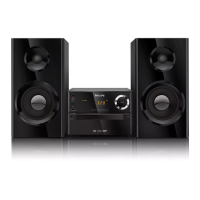
Philips MCD2010
27 pages
Print Icon
To Next Page IconTo Next Page
Loading...
Register your product and get support at
www.philips.com/welcome
用户手册 27User manual 3
MCD2010
MCD2010_93_UM_V3.2.indb 1 7/1/2013 2:39:12 PM

Questions and Answers

  • J
    Jocelyn LambertSep 9, 2025
    Why I cannot set audio or subtitle languages on my Philips Stereo System?
    • A
      Anne SmithSep 9, 2025
      You might not be able to set audio or subtitle languages on your Philips Stereo System if the disc is not recorded with sound or subtitles in multiple languages, or if the audio or subtitle language setting is prohibited on the disc.
  • R
    richard02Sep 12, 2025
    Why my Philips MCD2010 Stereo System cannot display some files in USB device?
    • B
      butlermelissaSep 12, 2025
      If your Philips Stereo System cannot display some files in a USB device, it may be because the number of folders or files in the USB device has exceeded a certain limit, which is not a malfunction. Also, the formats of these files may not be supported.
  • D
    Daniel MannSep 14, 2025
    What to do if my Philips MCD2010 Stereo System USB device is not supported?
    • J
      james12Sep 14, 2025
      If your Philips Stereo System indicates that a USB device is not supported, the USB device may be incompatible with the unit. Try using a different USB device.
  • T
    tsantiagoSep 16, 2025
    Why clock/timer setting erased on my Philips Stereo System?
    • S
      Shannon WattsSep 16, 2025
      If the clock/timer setting on your Philips Stereo System is erased, it is likely because the power has been interrupted or the power cord has been disconnected. Reset the clock/timer.

Summary

Important Safety Information

Safety Symbols and Instructions

Explains safety symbols and lists important operating and battery handling instructions.

Hearing Safety Guidelines

Advises on listening at moderate volumes to prevent hearing damage.

Overview of the Main Unit

Unit Components and Ports

Identifies and describes main unit components like disc compartment, USB, MP3 LINK, headphone socket, power, and IR sensor.

Overview of the Remote Control

Remote Control Buttons

Details the functions of various buttons on the remote, including power, source, and navigation keys.

Setup

General and Video Setup

Settings for disc lock, OSD language, TV system, aspect ratio, and picture settings.

Other Features

Alarm and Sleep Timers

Instructions for setting the alarm and sleep timers.

Product Information

Supported Media Formats

Lists compatible and unsupported disc, audio, and USB file formats.

Troubleshooting

Power, Disc, and Picture Issues

Solutions for problems related to power, disc detection, and video display.

Sound, Remote, and Disc Playback Problems

Troubleshooting for audio issues, remote control, and discs not playing.

Philips MCD2010 Specifications

General IconGeneral
TypeMicro Hi-Fi System
Audio FormatsMP3
Speaker Type2-Way
Weight3.5 kg
Disc PlaybackCD, CD-R/RW
TunerFM
ConnectivityAux-in
Speakers2
Power Output2 x 20 W RMS

Related product manuals