36
English
System Menu Options
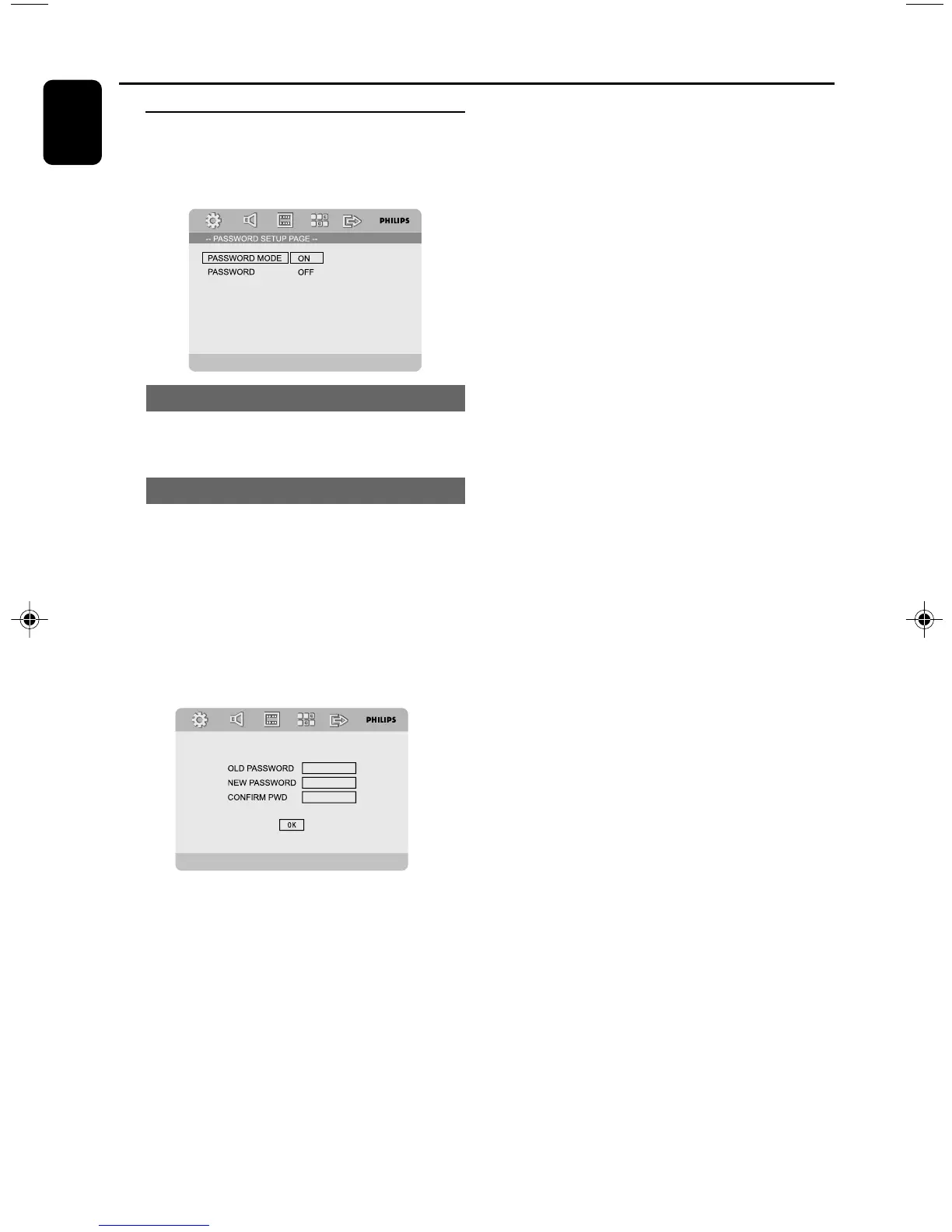
PASSWORD SETUP PAGE
The options included in Password Setup page
are: “PASSWORD MODE” and “PASSWORD”.
PASSWORD MODE
This feature is used to enable/disable password
by selecting “ON”/”OFF”.
PASSWORD
Enter your four digit password when a hint is
displayed on the screen. The default password is
1234.
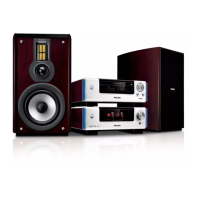
1 Press 3 4 to highlight “PASSWORD”.
2 Enter its submenu by pressing 2.
3 Press OK to open the page for inputting a new
password.
4 Enter the existing 4-digit code.
5 Enter the new 4-digit code.
6 Enter the new 4-digit code a second time to
confirm.
➜ The new 4-digit code will take effect.
7 Press OK to exit.
Notes:
– If the password has been changed, the parental
and disc lock code will also be changed.
– The default password (1234) is always active
even the password has been changed.


 To Next Page