10 EN
Switch to standby
1 Press to switch the apparatus to
standby mode.
The backlight on the display panel is »
reduced.
The clock (if set) appears on the »
display panel.
To switch the apparatus to Eco Power
Standby mode:
1 In standby mode, press and hold for
more than 2 seconds.
The backlight on the display panel »
turns off.
Note
If no button is pressed over 15 minutes in •
Standby mode, the unit goes to Eco Power
Standby mode automatically and the backlight
on the display turns off.
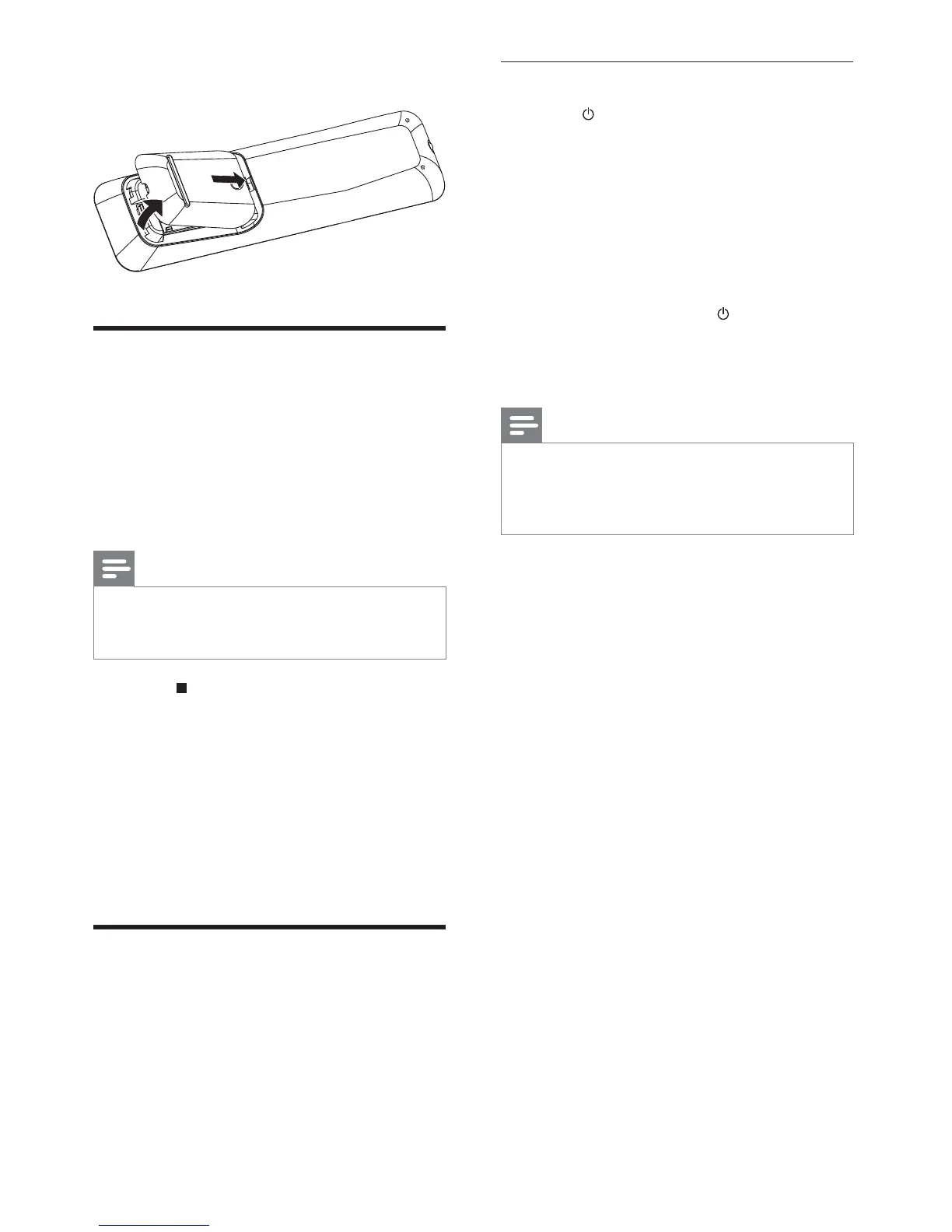
3 Close the battery compartment.
Set clock
1
In standby mode, press and hold CLOCK
on the main unit to activate the clock
setting mode.
[SET CLOCK] (set clock) is displayed »
briefly. Then the hour digits are
displayed and begin to blink.
Note
In Eco Power Standby mode, press • CLOCK to
show clock first, then press and hold CLOCK
to proceed clock setting.
2 Press on the main unit repeatedly to
select 12 hour or 24 hour format.
3 Turn VOLUME+/- to set the hour.
4 Press CLOCK to confirm.
The minute digits are displayed and »
begin to blink.
5 Turn VOLUME+/- to set the minute.
6 Press CLOCK to confirm.
Turn on
1
Press STANDBY-ON on the main unit.
The apparatus switches to the last »
selected source.


 To Next Page