7EN
English
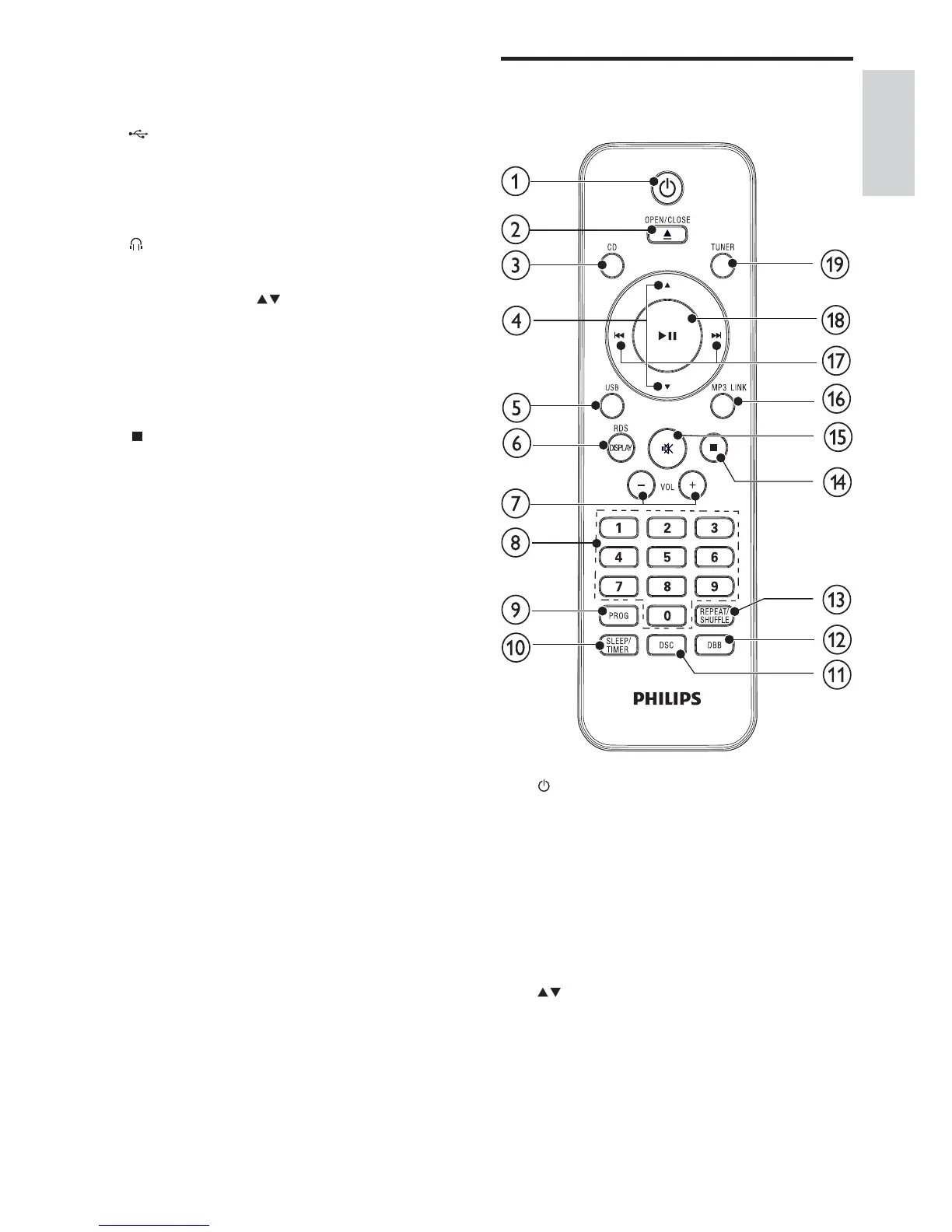
Overview of the remote
control
a
Switch to standby mode, or •
EcoPower standby mode.
b OPEN/CLOSE
Open or close the disc •
compartment.
c CD
Select disc source.•
d
Skip to the previous/next album.•
Select a preset radio station.•
e USB
Select USB device source.•
Search within a track.•
g Disc compartment
h
USB socket.•
i MP3 LINK
Jack for an external audio device.•
j
Headphone socket.•
k PRESET/ALBUM
Select a preset radio station.•
Skip to the previous/next album.•
l DSC
Select a preset sound setting.•
m
Stop play.•
Erase a program.•
n VOLUME+/-
Adjust volume.•
Adjust time.•
o CLOCK
Set the clock.•
View the clock.•
p Remote control sensor
q SOURCE
Select a source.•


 To Next Page