17
English
CD
Programming tracks
You may store up to 40 tracks in the desired
sequence. If you like, store any track more than
once.
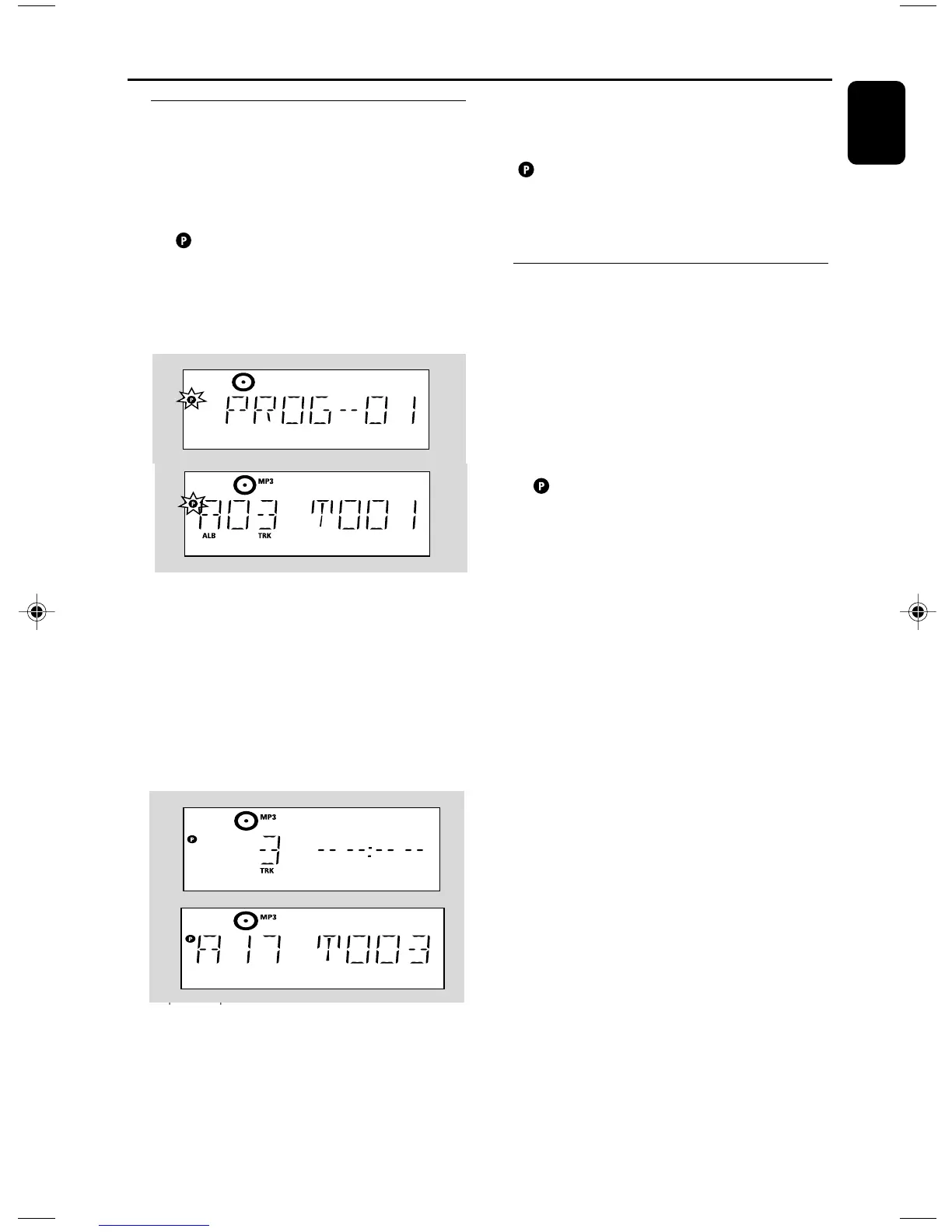
1 In the stop position, press PROG to start
programming
➜ flashes
➜ Audio CD: Display shows PROG and current
track number
MP3/WMA: Display shows current album/
track number
2 Press 4 / ¢ once or repeatedly until the
desired track number appears in the display
● MP3/WMA: press 3 / 4 and 4 / ¢ to
select the desired albumand track
3 Press PROG to confirm
➜ Display shows briefly the number of tracks
programmed
➜ Then, the display shows the track number
you just stored
4 Repeat steps 2-3 to select and store all desired
tracks.
➜ FULL is displayed if you attempt to program
more than 40 tracks
5 Press ÉÅ play the program
Helpful hints:
– The set will return to the stop position if no
button is pressed within 90 seconds.
disappears. To resume programming, press
PROG.
– MP3/WMA: When playing a program, use of
3 / 4 are void.
Erasing the program
You can erase the contents of the memory by:
● Press STOP 9
– once if in the stop position;
– twice during playback;
● Press STANDBY-ON y
● Select another sound source
● Open the CD door
➜ disappears. CLEAR scrolls
P001-P026_MCM277_98_Eng 2008.1.4, 15:4517


 To Next Page