EasyManua.ls Logo

Philips Norelco Shaver 7500 - User Manual

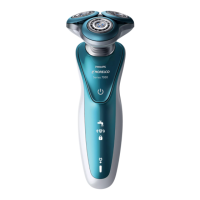
Philips Norelco Shaver 7500
7 pages
Print Icon
To Next Page IconTo Next Page
Loading...
Philips Norelco Shaver 7500 Wet & dry electric shaver, Series 7000 S7371/84
Frequently Asked Questions
C
lick on a question to go directly to the answer:
1. What do the symbols on my Philips shaver mean?
2
. Which foam or gel can I use with my Philips shaver?
3. How do I get the best results with my Philips Shaver?
4
. How do I clean my Philips Shaver?
5. How do I remove the shaving heads of my Philips shaver?
1. What do the symbols on my Philips shaver mean?
If you would like to find out what the symbols and indicator lights on your Philips Shaver mean, read
our explanation in this article.
C
harging lights
The battery symbol on you Philips Shaver lights up to indicate the charging status of your shaver.
When the battery is about to run out, the indicator blinks orange. While charging, this light can be
white, green or blue, depending on your shaver model.
O
nce your shaver is fully charged, the light stays on for 15 or 30 minutes and then automatically
turns off to save energy.
U
nplug for use
Some Philips Shavers can only be used cordless. If you try to turn these shavers on while they are still
plugged in, an unplug symbol flashes white as a reminder to unplug your shaver.

Table of Contents

Question and Answer IconNeed help?

Do you have a question about the Philips Norelco Shaver 7500 and is the answer not in the manual?

Summary

Philips Shaver Symbols and Indicator Lights

Charging Indicator Lights

Explains the battery symbol and its lights indicating charging status, low battery, and full charge.

Unplug for Use Symbol

Reminder symbol when the shaver is plugged in but meant for cordless use.

Exclamation Mark Meanings

Details meanings of exclamation mark: blocked heads, overheating, or metal on charging pad.

Cleaning Reminder Symbol

A tap symbol blinking as a reminder to clean the shaver after switching it off.

Travel Lock Activation

Explains how to activate/deactivate the travel lock and its indicator symbol.

Shaving Head Replacement Reminder

Shaving head symbol or beep indicates need for replacement every two years.

Bath and Tap Symbols

Symbols indicating if the shaver is waterproof or washable with water.

Notification Symbol

Indicates an important message is available in the Philips Groom Tribe App.

Sensitive Shaving Settings Symbols

S and XS symbols for sensitive and extra sensitive shave settings via the Groom Tribe App.

Using Foam or Gel with Your Philips Shaver

Foam;Gel Use and Shaver Performance

Wet shaving with foam or gel uses more energy, draining the battery faster than dry shaving.

Dry vs. Wet Shaving

Compares advantages of dry shaving (convenience) and wet shaving (refreshing, good for sensitive skin).

Tips for Wet Shaving

Provides steps for optimal wet shaving, including washing face and applying gel.

Tips for Dry Shaving

Provides steps for optimal dry shaving, including washing and drying face.

Achieving Best Results with Your Philips Shaver

Skin Adjustment Period

Recommends a 2-3 week adjustment period for new users to minimize irritation.

Moisturizer and Aftershave

Suggests using gentle moisturizer or aftershave to minimize skin irritation.

Pre-trimming Long Facial Hair

Advises trimming long beards before shaving for comfort and reduced irritation.

Gentle Shaving Pressure

Emphasizes applying gentle pressure for comfortable shaving and better hair cutting.

Cleaning Your Philips Shaver

Cleaning S7000 and S9000 Series

Instructions for cleaning S7000/S9000 shavers after each shave for optimal performance.

Cleaning S5000 and S6000 Series

Specific cleaning instructions for Philips Shaver models in the S5000 and S6000 series.

Cleaning Two-Headed Shavers

Step-by-step guide for cleaning shavers that feature two shaving heads.

Cleaning Click-on Attachments

Guidance on cleaning detachable attachments like beard stylers or cleaning brushes.

Cleaning with SmartClean System

Instructions for cleaning the shaver using the Philips SmartClean system.

Removing and Reattaching Shaving Heads

Shaving Head Removal Steps

Detailed steps to remove shaving heads for deep cleaning, including cutters and guards.

Shaving Head Reattachment

Instructions for correctly putting the shaving heads back into the shaving head holder.

Summary

Philips Shaver Symbols and Indicator Lights

Charging Indicator Lights

Explains the battery symbol and its lights indicating charging status, low battery, and full charge.

Unplug for Use Symbol

Reminder symbol when the shaver is plugged in but meant for cordless use.

Exclamation Mark Meanings

Details meanings of exclamation mark: blocked heads, overheating, or metal on charging pad.

Cleaning Reminder Symbol

A tap symbol blinking as a reminder to clean the shaver after switching it off.

Travel Lock Activation

Explains how to activate/deactivate the travel lock and its indicator symbol.

Shaving Head Replacement Reminder

Shaving head symbol or beep indicates need for replacement every two years.

Bath and Tap Symbols

Symbols indicating if the shaver is waterproof or washable with water.

Notification Symbol

Indicates an important message is available in the Philips Groom Tribe App.

Sensitive Shaving Settings Symbols

S and XS symbols for sensitive and extra sensitive shave settings via the Groom Tribe App.

Using Foam or Gel with Your Philips Shaver

Foam;Gel Use and Shaver Performance

Wet shaving with foam or gel uses more energy, draining the battery faster than dry shaving.

Dry vs. Wet Shaving

Compares advantages of dry shaving (convenience) and wet shaving (refreshing, good for sensitive skin).

Tips for Wet Shaving

Provides steps for optimal wet shaving, including washing face and applying gel.

Tips for Dry Shaving

Provides steps for optimal dry shaving, including washing and drying face.

Achieving Best Results with Your Philips Shaver

Skin Adjustment Period

Recommends a 2-3 week adjustment period for new users to minimize irritation.

Moisturizer and Aftershave

Suggests using gentle moisturizer or aftershave to minimize skin irritation.

Pre-trimming Long Facial Hair

Advises trimming long beards before shaving for comfort and reduced irritation.

Gentle Shaving Pressure

Emphasizes applying gentle pressure for comfortable shaving and better hair cutting.

Cleaning Your Philips Shaver

Cleaning S7000 and S9000 Series

Instructions for cleaning S7000/S9000 shavers after each shave for optimal performance.

Cleaning S5000 and S6000 Series

Specific cleaning instructions for Philips Shaver models in the S5000 and S6000 series.

Cleaning Two-Headed Shavers

Step-by-step guide for cleaning shavers that feature two shaving heads.

Cleaning Click-on Attachments

Guidance on cleaning detachable attachments like beard stylers or cleaning brushes.

Cleaning with SmartClean System

Instructions for cleaning the shaver using the Philips SmartClean system.

Removing and Reattaching Shaving Heads

Shaving Head Removal Steps

Detailed steps to remove shaving heads for deep cleaning, including cutters and guards.

Shaving Head Reattachment

Instructions for correctly putting the shaving heads back into the shaving head holder.

Philips Norelco Shaver 7500 Specifications

General IconGeneral
Model7500
Shaver TypeRotary
Heads3
SkinComfort RingsYes
Personal Comfort SettingsYes
Precision ModeYes
Wet/Dry UseYes
SmartClickYes
Battery TypeLithium-ion
Charging Time1 hour
Automatic voltage100-240 V
DisplayLED
Travel LockYes
WaterproofYes
Run time50 minutes
Quick charge5 minutes for 1 shave
AccessoriesCleaning brush

Related product manuals