EasyManua.ls Logo

Philips Norelco Shaver Series - User Manual

Philips Norelco Shaver Series
7 pages
Print Icon
To Next Page IconTo Next Page
Loading...
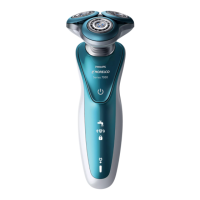
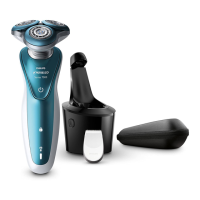
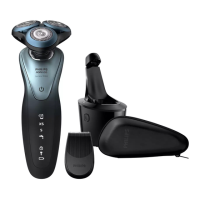
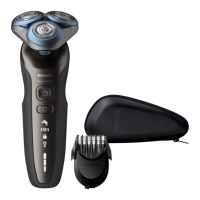
Philips Norelco Shaver series 6000Wet and dry electric shaver S6880/81
Frequently Asked Questions
Click on a question to go directly to the answer:
1. Which foam or gel can I use with my Philips shaver?
2. What do the symbols on my Philips shaver mean?
3. Can I charge my Philips shaver after every shave?
4. Can I replace the battery of my Philips shaver?
5. How do I get the best results with my Philips Shaver?
6. How do I clean my Philips Shaver?
7. How do I remove the shaving heads of my Philips shaver?
1. Which foam or gel can I use with my Philips shaver?
You can use any type of shaving foam or gel available in the supermarket or drugstore with your wet
and dry Philips Shaver. If you have sensitive skin, we advise you to use a shaving foam or gel for
sensitive skin.
Does using a foam of gel effect my shaver’s performance?
Wet shaving with foam or gel uses more energy and can thus drain your shaver’s battery much
faster. If you use your Philips Shaver for dry shaving only, the battery can last much longer.
Is it better to dry or wet shave with my Philips Shaver?
Both dry and wet shaving have their own advantages. It comes down to your personal choice of
shaving. Some points to consider are as follows:
1. Dry shaving can be done almost anywhere, even on the go, and there is hardly any cleaning
involved.
2. Wet shaving feels refreshing and is often beneficial for sensitive skin as it reduces friction and
irritation caused by a blade.
For more shaving tips, download the Philips Grooming App, available on both App Store and Google
Play.
2. What do the symbols on my Philips shaver mean?
If you would like to find out what the symbols and indicator lights on your Philips Shaver mean, read
our explanation in this article.
Charging lights
The battery symbol on you Philips Shaver lights up to indicate the charging status of your shaver.
When the battery is about to run out, the indicator blinks orange. While charging, this light can be
white, green or blue, depending on your shaver model.

Table of Contents

Question and Answer IconNeed help?

Do you have a question about the Philips Norelco Shaver Series and is the answer not in the manual?

Summary

Frequently Asked Questions

Foam, Gel, and Shaving Methods

Guidance on using shaving foam/gel and comparing wet vs. dry shaving methods.

Understanding Shaver Symbols and Indicators

Explanation of various symbols and indicator lights on the Philips shaver, including charging status.

Travel Lock Functionality

How to activate and deactivate the travel lock feature to prevent accidental switching on.

Replacing Shaving Heads

Information on when and how to replace shaving heads for optimal shaver performance.

Charging Your Philips Shaver

Details on whether the Philips shaver can be recharged after every shave.

Replacing the Shaver Battery

Information regarding the possibility and procedure for replacing the shaver's built-in battery.

Achieving Best Shaving Results

Tips and tricks for optimizing shaving performance and user experience with the Philips Shaver.

Cleaning Your Philips Shaver

Instructions on how to clean the Philips shaver, with specific guidance for different series.

Removing Shaving Heads

Step-by-step guide on how to remove and reattach the shaving heads for deep cleaning.

Overview

The Philips Norelco Shaver series 6000, model S6880/81, is a wet and dry electric shaver designed for a comfortable and efficient shaving experience.

Function Description:

This electric shaver is primarily designed for facial hair removal, offering both wet and dry shaving capabilities. Its "wet and dry" feature means it can be used with shaving foam or gel for a refreshing shave, or dry for convenience. The shaver is equipped with a motor that drives shaving heads to cut hair. It is designed to be gentle on the skin, particularly for those with sensitive skin, and aims to reduce friction and irritation often associated with traditional blade shaving. The device also includes features to guide users on optimal shaving techniques and maintenance.

Important Technical Specifications:

  • Battery Type: Lithium-ion battery. This allows for daily recharging without significant degradation of battery life.
  • Power Source: Rechargeable battery. The device is cordless for use, and some models may only operate when unplugged.
  • Waterproof Rating: Indicated by a shower or bath symbol on the back of the shaver, meaning it can be safely used with water in a shower or bath. A tap symbol indicates it is washable but not for use in the shower/bath. A crossed-out tap symbol means it should be cleaned without water.
  • Shaving Head Lifespan: For most models, shaving heads should be replaced every two years for optimal performance.
  • Charging Time: Once fully charged, the charging light stays on for 15 or 30 minutes before automatically turning off to save energy.

Usage Features:

  • Wet and Dry Shaving: Users have the flexibility to choose between dry shaving for convenience or wet shaving with foam or gel for sensitive skin and a refreshing feel.
  • Sensitive Skin Settings: The S7000 model, for example, features 'S' (sensitive shave) and 'XS' (extra sensitive shave) settings, accessible via the Philips GroomTribe App, to cater to different skin sensitivities.
  • Cordless Operation: Many Philips Shavers are designed for cordless use, with an unplug symbol flashing if the shaver is plugged in when attempting to turn it on.
  • Travel Lock: A travel lock feature prevents accidental activation during travel. It is activated and deactivated by pressing the on/off button for three seconds, indicated by a flashing and then continuously lit lock symbol.
  • GroomTribe App Integration: For enhanced shaving tips and potentially to control specific settings (like sensitive shave settings on S7000 models), users can download the Philips GroomTribe App.
  • Pre-trimming for Long Hair: For heavy beards or longer facial hair, pre-trimming is recommended to improve comfort and reduce shaving time. Some models include a trimming attachment, or users can use a separate beard trimmer.
  • Gentle Pressure: Users are advised to apply gentle pressure during shaving to allow facial hair to stand upright, making it easier for blades to cut, and to reduce friction and irritation.
  • Circular Movements: For both wet and dry shaving, moving the shaver in circular movements over the skin is recommended to ensure all hair growing in different directions is removed.
  • Skin Adjustment Period: New users may experience slight skin irritation initially. An adjustment period of two to three weeks is suggested, along with the use of a gentle moisturizer or aftershave lotion.

Maintenance Features:

  • Cleaning Reminder: A tap symbol may blink on the shaver after it's switched off, serving as a reminder to clean the device.
  • Easy Cleaning:
    • S7000 and S9000 Series: Involves rinsing the shaver under warm water, removing the top part of the shaving head, rinsing it for at least 30 seconds, and air-drying.
    • S5000 and S6000 Series: Involves rinsing the shaver under warm water, pressing a release button to open the shaving head, rinsing the shaving head holder, and air-drying with the holder open.
    • Two-headed Shavers: Involves pulling off the shaving head, rinsing it under warm water, air-drying, opening the top part of the shaving head, rinsing it, and reattaching once dry.
    • Click-on Attachments: Attachments like beard stylers or cleaning brushes can be pulled off, rinsed with warm water, and reassembled once clean and dry.
  • SmartClean System Compatibility: Some Philips Shavers can be cleaned using a Philips SmartClean system. This involves rinsing the shaver, placing it upside down in the SmartClean holder, locking it in place, and pressing the on/off button on the SmartClean system to start the cleaning program.
  • Shaving Head Replacement: Shaving heads should be regularly replaced, typically every two years, to maintain optimal performance. The shaver may indicate this with a flashing shaving head symbol or a beep. After replacement, the shaver needs to be reset by pressing the on/off button for a few seconds.
  • Shaving Head Removal for Deep Cleaning: For deep cleaning, shaving heads can be removed by pulling off the shaving head holder, twisting out retaining rings, and removing the individual shaving heads (cutter and guard kept together). They are then reassembled after cleaning.
  • Battery Maintenance: The lithium-ion battery allows for daily recharging. Users are advised not to attempt to replace the built-in battery themselves.
  • Overheating Protection: If the shaver overheats due to excessive charging, it will automatically switch off. Users should let it cool down for a few minutes before attempting to turn it on again.
  • Metallic Object Detection (Qi Pad): If an exclamation mark flashes on a Qi charging pad, it indicates a metallic object is present, causing the pad to turn off. The object should be removed, and the pad restarted after 5 minutes.
  • Blocked Shaving Heads Indication: An exclamation mark along with a tap and shaving head symbol indicates blocked or soiled shaving heads, requiring cleaning or replacement.

Philips Norelco Shaver Series Specifications

General IconGeneral
BrandPhilips
ModelNorelco Shaver Series
CategoryElectric Shaver
LanguageEnglish

Related product manuals