EasyManua.ls Logo

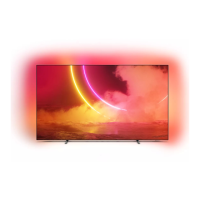
Philips OLED805 Series - User Manual

Philips OLED805 Series
2 pages
Print Icon
To Next Page IconTo Next Page
Loading...
A
B
Quick Start Guide
OLED805 series
Quick Start Guide
(EU)
(UK)
x4
x4
A
2 31
10 11
R
L
R
L
x 3
12
13
5
6
8 9
7
4
Question and Answer IconNeed help?

Do you have a question about the Philips OLED805 Series and is the answer not in the manual?

Summary

TV Stand Assembly

Assembling the Base Stand

Steps for assembling the main components of the TV stand.

Attaching Stand to TV

Instructions for securely connecting the assembled stand to the television.

Wall Mounting and Final Setup

Wall Mounting Options

Guidance on how to mount the television to a wall using VESA specifications.

Safety and Compliance

Important safety instructions to read before operating the TV.

Connectivity Ports and Setup

Overview of available ports and initial connection guidance for devices.

Summary

TV Stand Assembly

Assembling the Base Stand

Steps for assembling the main components of the TV stand.

Attaching Stand to TV

Instructions for securely connecting the assembled stand to the television.

Wall Mounting and Final Setup

Wall Mounting Options

Guidance on how to mount the television to a wall using VESA specifications.

Safety and Compliance

Important safety instructions to read before operating the TV.

Connectivity Ports and Setup

Overview of available ports and initial connection guidance for devices.

Philips OLED805 Series Specifications

General IconGeneral
Display TypeOLED
Refresh Rate120 Hz
Operating SystemAndroid TV
Ambient Light SensorYes
Screen Sizes Available55-inch, 65-inch
Resolution4K Ultra HD (3840 x 2160)
HDR SupportDolby Vision, HDR10, HLG
Smart FeaturesGoogle Assistant, Google Play Store
ConnectivityWi-Fi, Bluetooth
Audio50W (2x10W + 20W Subwoofer)
HDMI Ports4

Related product manuals