Additional Onis 200 handset
4
English
Setting up the handset
Installing the handset
Proceed as follows:
• Plug the mains adapter into an easily-accessible socket.
• Place the HANDSET on the CHARGER.
Before initial use or following a long period without charging, the HANDSET
should be fully charged for at least 12 hours.
L WARNING:
Once the handset is fully charged, you should follow the procedure described on page 4
(registering the handset with a base station).
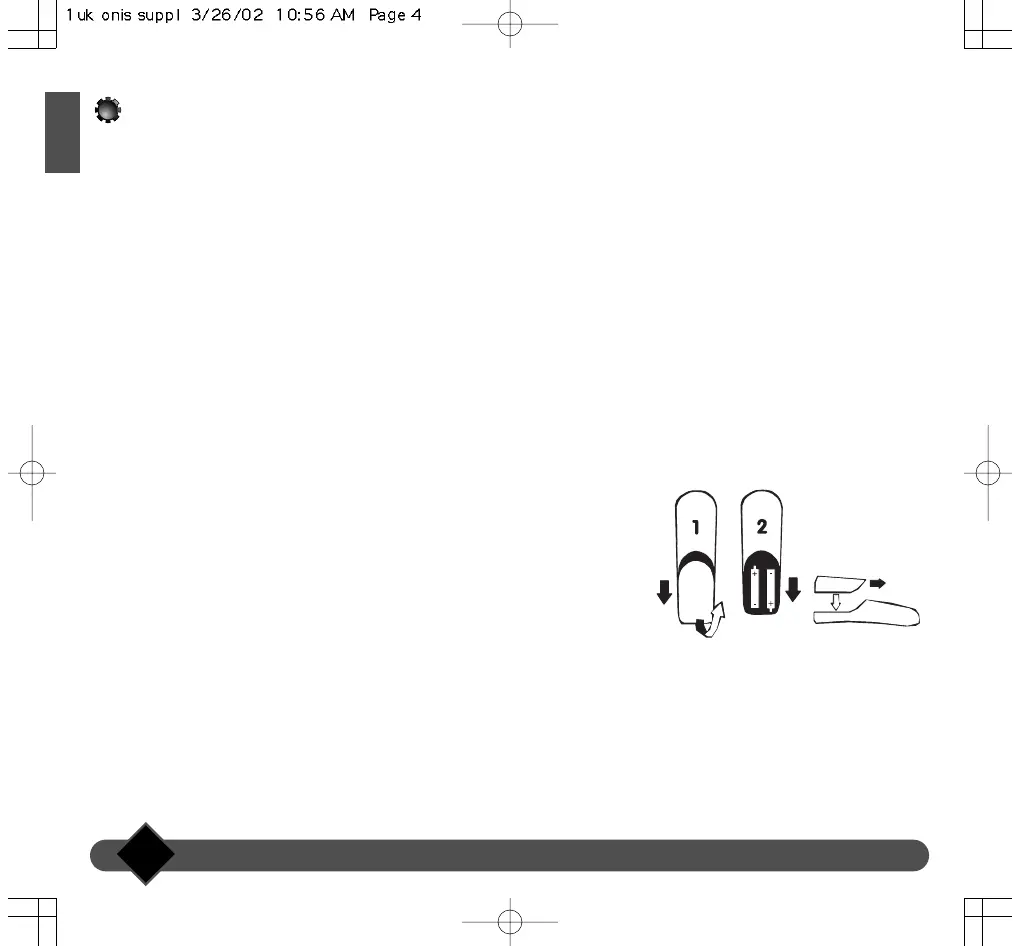
Inserting and replacing batteries
R03/AAA NiMh rechargeable batteries should be used as replacements.
• Slide open the HANDSET battery cover in the direction indicated by the
arrow.
• Remove batteries.
• Insert new batteries as indicated and replace the cover.
• Place the HANDSET on the CHARGER. Charge for at least 12 hours.
L
WARNING:
Never use non-rechargeable batteries. Use only the recommended types (R03/AAA NiMh).
NOTE. Used batteries should not be disposed of with household waste.
Return used batteries to your distributor or take to a suitable collection centre.



 To Next Page