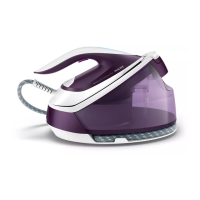
This document provides a comprehensive user manual for the Philips PerfectCare Elite Plus steam generator iron, GC9600 series. This advanced ironing system is designed to make ironing faster, easier, and safer for a wide range of fabrics, thanks to its innovative technologies and user-friendly features.
Function Description
The Philips PerfectCare Elite Plus is a steam generator iron that produces a continuous flow of powerful steam to effectively remove creases from garments. Unlike traditional irons, it features a separate water tank and steam generator unit, allowing for higher steam output and longer ironing sessions without frequent refills. The core of its functionality lies in the OptimalTEMP technology, which eliminates the need to adjust temperature settings for different fabrics. This means you can iron everything from denim to silk without worrying about scorching or damaging your clothes. The iron also incorporates a DynamiQ sensor and an intelligent automatic steam mode, which detect the iron's movement and automatically release the appropriate amount of steam, simplifying the ironing process and enhancing efficiency. For stubborn creases, a dedicated steam boost function provides powerful bursts of steam. The appliance is also capable of vertical ironing, allowing you to refresh hanging garments and curtains. An ECO setting is available for energy-saving ironing with reduced steam, while a MAX setting provides maximum steam for faster results on tough fabrics. Safety features include an auto shut-off function that turns off the appliance after a period of inactivity.
Usage Features
Operating the Philips PerfectCare Elite Plus is designed to be intuitive and convenient.
- OptimalTEMP Technology: This key feature allows you to iron all types of ironable fabrics in any order, without needing to adjust the iron's temperature. Fabrics with the ironable symbol (e.g., linen, cotton, polyester, silk, wool, viscose, rayon) can be ironed safely. Fabrics with the non-ironable symbol (e.g., Spandex, elastane, polyolefins, prints on garments) should be avoided. The soleplate will not damage the ironing board cover, allowing you to place the iron directly on the board or its platform.
- Starting Ironing: To begin ironing, simply press and hold the steam trigger. For best results on tough fabrics like cotton, linen, and jeans, continuously press the steam trigger while moving the iron over the fabric, then move the iron over the same area a few more times without steam to dry the fabric. For silk and shiny synthetic fabrics, continuous steam trigger pressing is recommended.
- DynamiQ Sensor and Intelligent Automatic Steam Mode: To activate this mode, press the intelligent automatic steam button on the iron handle. The intelligent automatic steam light will turn on. The DynamiQ sensor will then detect the iron's movement and automatically release steam when the iron is moving, and stop when it's stationary. This mode can be used with all steam settings, including ECO and MAX. For safety, steam stops if the soleplate is tilted. To exit this mode, press the intelligent automatic steam button again.
- Steam Boost Function: For difficult creases, quickly press the steam trigger twice. The appliance will release three powerful shots of steam.
- Vertical Ironing: Hold the iron in a vertical position, press the steam trigger, and lightly touch the garment with the soleplate to remove wrinkles from hanging fabrics. Note that the intelligent automatic steam mode is not available for vertical ironing for safety reasons.
- ECO Setting: To save energy, press the ECO button. The green ECO light will turn on, indicating reduced steam output. Press the button again to deactivate.
- MAX Setting: For faster ironing and higher steam output, press and hold the on/off button for two seconds until the light turns white. To deactivate, press and hold the on/off button again for two seconds until the white light turns blue.
- Water Tank: The appliance features a detachable water tank for easy refilling. The 'water tank empty' light will illuminate when a refill is needed.
- Auto Shut-off: If the appliance is not used for 10 minutes, it enters standby mode, and the on/off button light flashes. Press the on/off button to reactivate it. After another 10 minutes in standby, the appliance will automatically switch off.
- Carry Lock: The iron can be securely locked to the base unit using the carry lock and carry lock release button, making it safe and easy to transport.
- Cord Storage: The appliance includes compartments for storing the steam supply hose and mains cord with plug, ensuring tidy storage.
Maintenance Features
Regular maintenance is crucial for ensuring optimal performance and extending the life of your Philips PerfectCare Elite Plus iron.
- IMPORTANT – EASY DE-CALC: This is a critical descaling function. The EASY DE-CALC light will flash and the appliance will beep continuously after approximately one month or 10 ironing sessions, indicating that descaling is required.
- Procedure: To perform the EASY DE-CALC, first unplug the appliance and let it cool down for at least two hours to avoid burns. Place the appliance on the edge of a tabletop and hold a cup (at least 350ml capacity) under the EASY DE-CALC knob. Turn the knob anticlockwise to remove it, allowing water with scale particles to flow into the cup. Once no more water comes out, reinsert the knob and turn it clockwise to fasten it. You can then resume ironing immediately.
- IMPORTANT – Descaling the Soleplate: If the EASY DE-CALC function is not used regularly, scale particles can build up in the soleplate, leading to brown stains during ironing. In such cases, the soleplate needs to be descaled. It is advised to repeat this procedure twice for thorough cleaning.
- Procedure: As with the EASY DE-CALC, unplug the appliance and let it cool for at least two hours. Place the appliance on the edge of a tabletop, ensuring the water tank is empty. Hold a cup under the EASY DE-CALC knob, turn it anticlockwise, and remove it, letting water flow out. Then, hold the appliance so the EASY DE-CALC opening faces up and pour 900ml of distilled water into the opening. Reinsert and fasten the EASY DE-CALC knob. Place the appliance back on a stable surface, plug it in, and switch it on. Wait 5 minutes for it to heat up. Continuously press the steam trigger while moving the iron on a piece of thick cloth for 3 minutes. Hot, dirty water will come out of the soleplate. Stop when no more water or steam comes out. You can use the appliance immediately or unplug it after descaling.
- Troubleshooting: The manual includes a troubleshooting section to address common issues such as a wet ironing board cover, water droplets from the soleplate, steam/water from the EASY DE-CALC knob, dirty soleplate, iron leaving a shine, no steam production, or the appliance switching off. Solutions range from cleaning the soleplate with a damp cloth, descaling, filling the water tank, or contacting an authorized Philips service center if the rubber sealing ring of the EASY DE-CALC knob is worn. If the appliance produces a continuous pumping sound, switch it off, unplug it, and contact a service center.
By following these instructions, users can ensure their Philips PerfectCare Elite Plus steam generator iron operates efficiently and safely for many years.

 Need help?
 General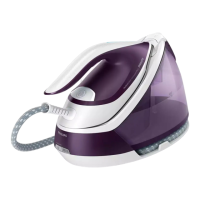





 To Next Page