EasyManua.ls Logo

Philips PM 5101 - Page 18

Philips PM 5101
28 pages
Print Icon
To Next Page IconTo Next Page
To Previous Page IconTo Previous Page
Loading...
18
-
Check
that
the
output
amplitude
is 4 V p _
p.
- Set
SK3
to
po
sition
"'.
- Check the calibration
of
attenuator
R2
at
a frequency
of
1 kHz.
- Check the
amp
litude re
spo
nse
of
the
output
si
gna
l
at
10, 30
and
JOO
Hz
(SK2
in
pos
ition X
l)
and
at
JO,
30
and
JOO
kHz
(SK2 in
position
X
lK).
Tolerance:
::;
1%
of
the
output
amp
litude
at
1
kHz
.
E.
SQUARE
WAVE VOLTAGE
- Set
SK3
to position
'L
.
- Check
that
the
mark
/space
ratio
at
2
kHz
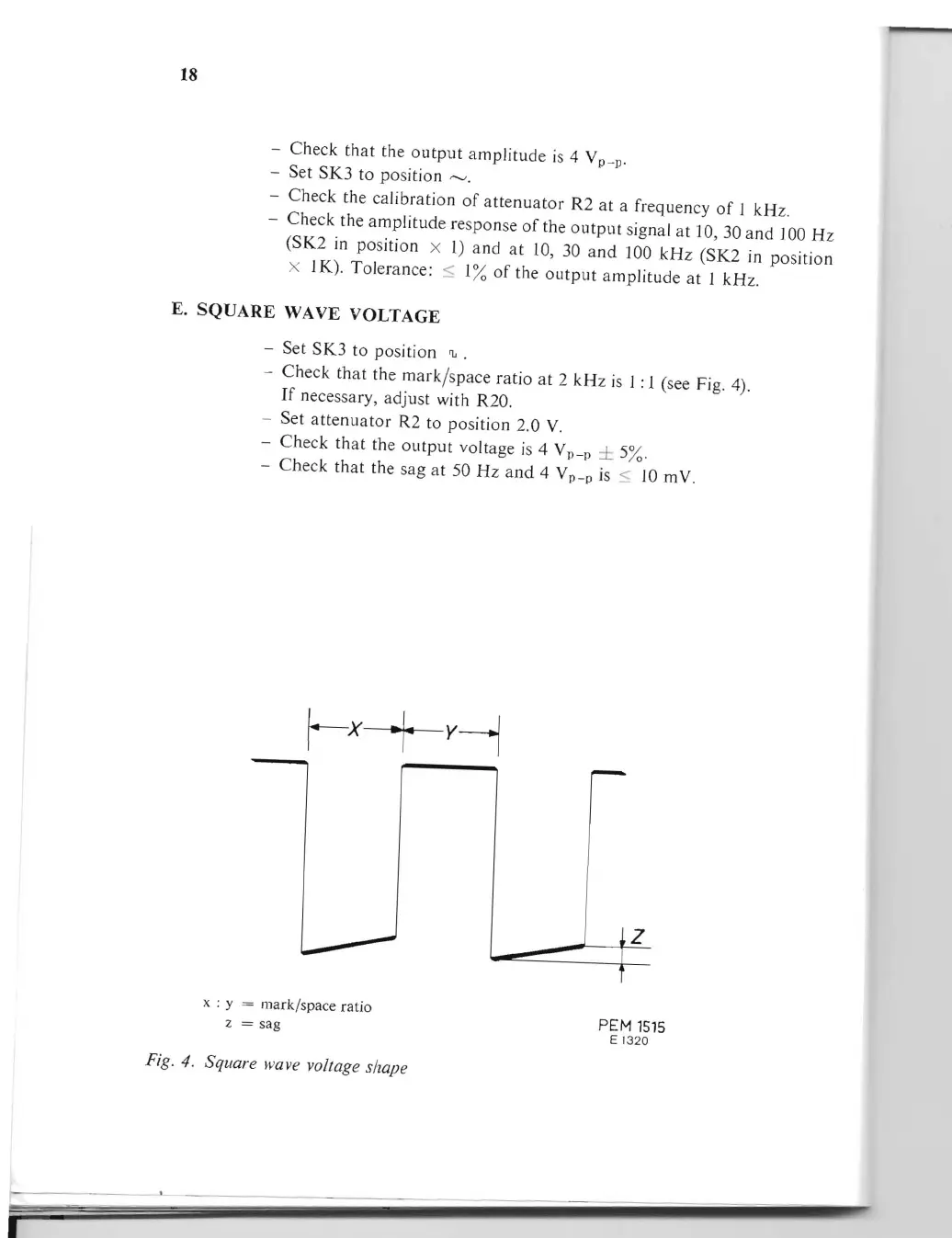
is 1: l (see Fig. 4).
If
necessary, adjust with R20.
- Set
attenuator
R2 to position 2.0 V.
- Check
that
the
output
voltage is 4 V
p
_
± 5%.
p
- Check
that
the
sag
at
50
Hz
and
4 V
p
_
is
::;
10
mY.
p
z
x : y = mark/space ratio
z = sag
PEM
1515
E 1
320
Fig. 4. Square wave vo/tage shape