9
English
PSG2000 series
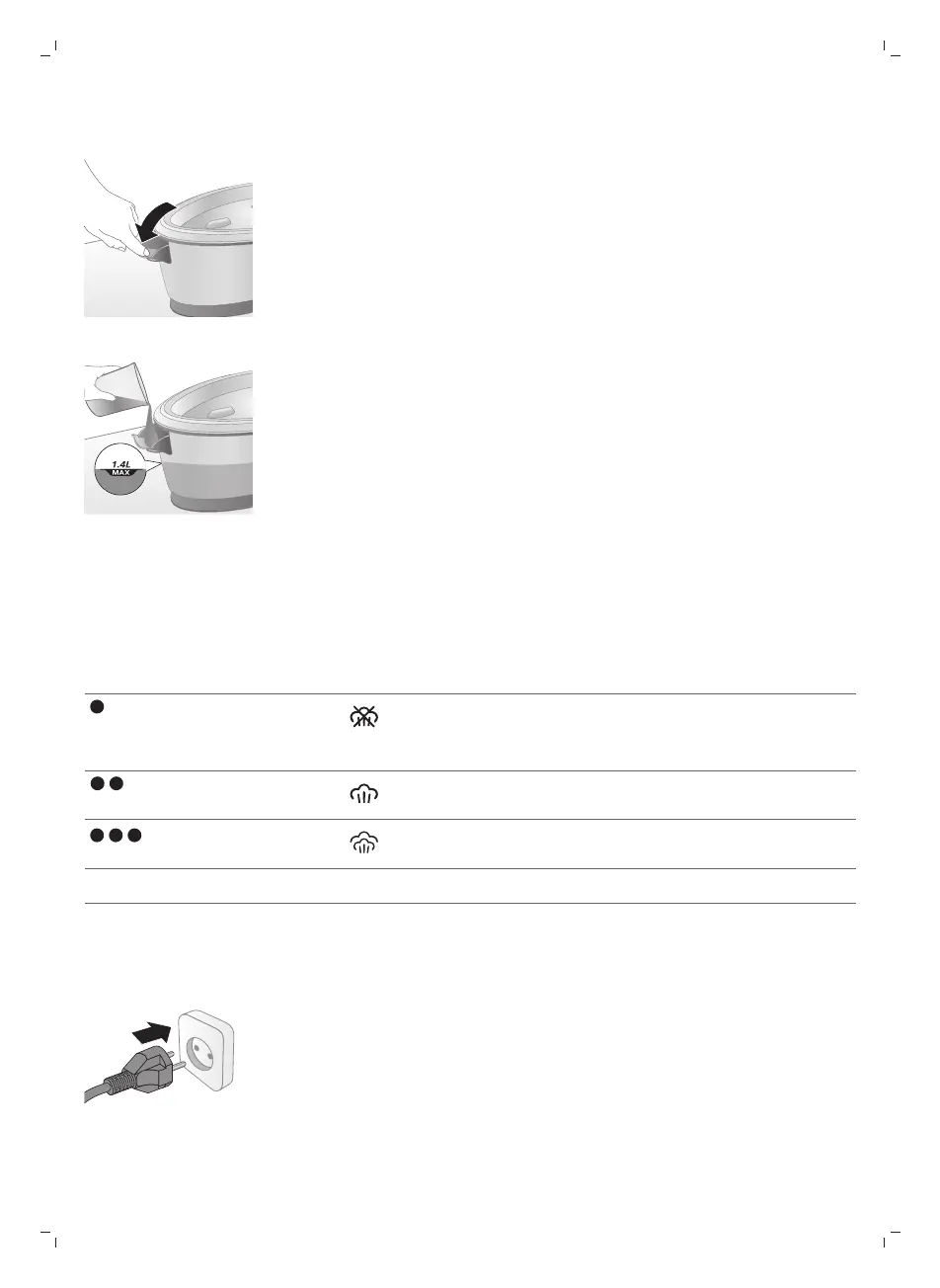
1 Open the water tank filling door.
2 Fill the water tank up to the MAX indication then close the water tank filling
door (‘click’).
Using your appliance
Temperature setting
Temperature setting Automatic steam setting Fabric type
Synthetics (e.g. acetate, acrylic,
nylon, viscose, polyamide,
polyester)
Silk
to MAX Cotton, linen
ECO ECO All except for synthetic fabrics
Ironing
1 Put the mains plug in an earthed wall socket.




 To Next Page