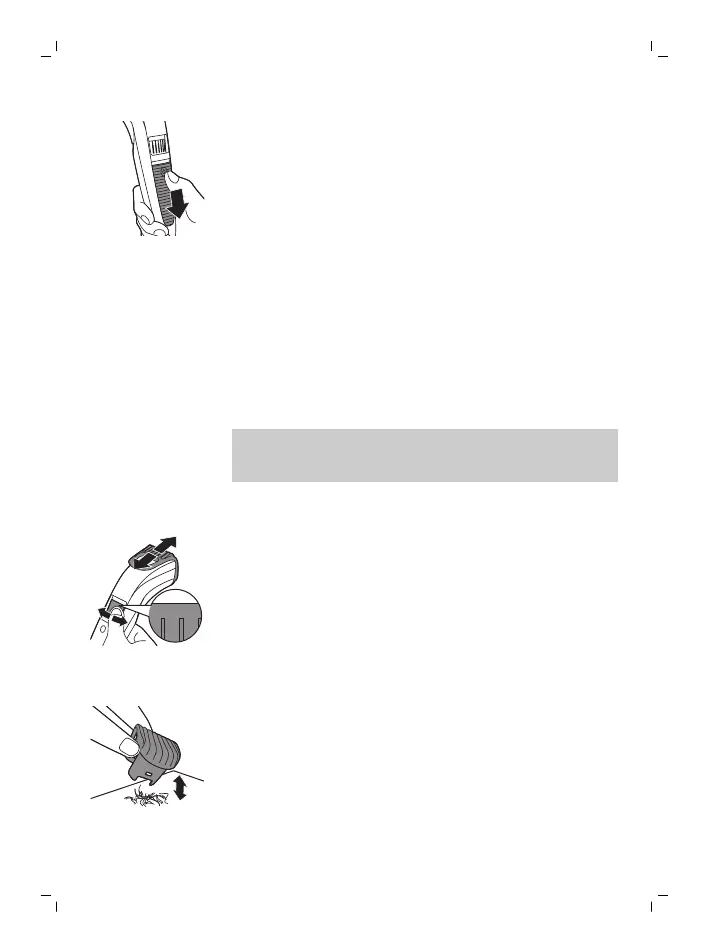
2 To switch off the appliance, slide the on/off
button down.
Trimming with comb
The length settings on the Precision Zoom Lock™
adjustment ring correspond to the remaining hair
length after trimming. For example, setting 2
equals a hair length of 2mm. QT4000, QT4001:
length settings ranging from 1 to 10 with 1mm steps,
QT4003, QT4009: length settings ranging from 0.5
to 10 with 0.5mm steps.
Note: When you trim for the first time, start at the
highest length setting to familiarize yourself with
the appliance.
1 Slide the beard trimming comb straight into the
guiding groove of the appliance.
2 Turn the Precision Zoom Lock™ adjustment ring
to the desired setting. The selected setting is
the setting in the center of the adjustment ring.
3 Switch on the appliance.
4 To trim most effectively, move the appliance
against the hair growth direction. Make sure
that the surface of the comb always stays in
contact with the skin.
5 Regularly remove cut hair from the comb. If a lot
of hair has accumulated in the comb, remove it
from the product and blow and/or shake out
the hairs. The selected setting does not change
when you do this.
10
English


 To Next Page