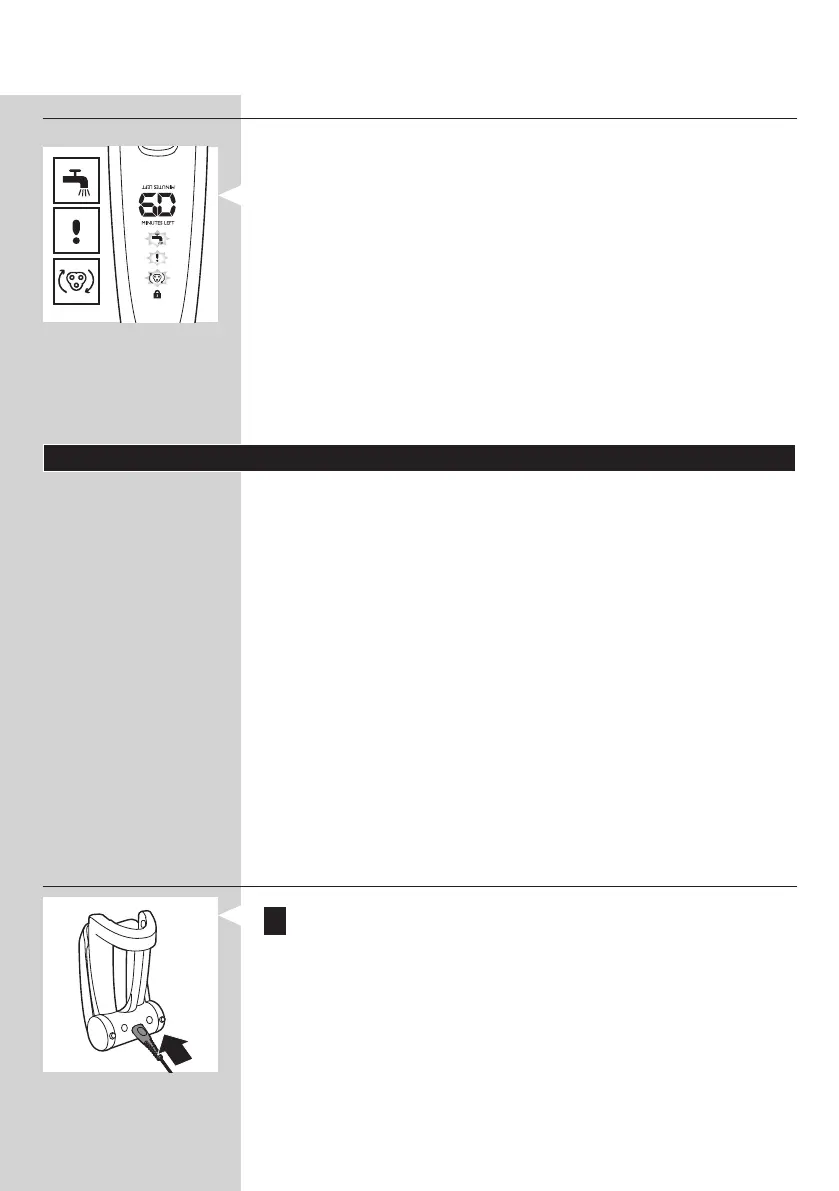
Blocked shaving heads
Note: The displays of the various shaver types look different, but
show the same symbol.
- If the shaving heads are blocked, the shaving unit symbol,
case, the motor cannot run because the shaving heads are
soiled or damaged.
- When this happens, you have to clean the shaving unit or
replace it.
- The shaving unit symbol, the tap symbol and
the shaving heads.
Charging
Charging takes approx. 1 hour.
RQ1285/RQ1275/RQ1260: A fully charged shaver has a
shaving time of up to 60 minutes or 20 days.
Note: RQ1285/1275/1260: When the battery is fully charged,
the display shows the actual remaining shaving minutes
(see section ‘Battery fully charged’ in chapter ‘The display’).
RQ1250: A fully charged shaver has a shaving time of up to
50 minutes or 16 days.
when the display indicates that the battery is almost empty
(see section ‘Battery low’ in chapter ‘The display’).
Quick charge
After the shaver has charged for 5 minutes, it contains
enough energy for one shave.
Charging in the charger
1 Insert the small plug into the charger.
ENGLISH 45



 To Next Page