English
65
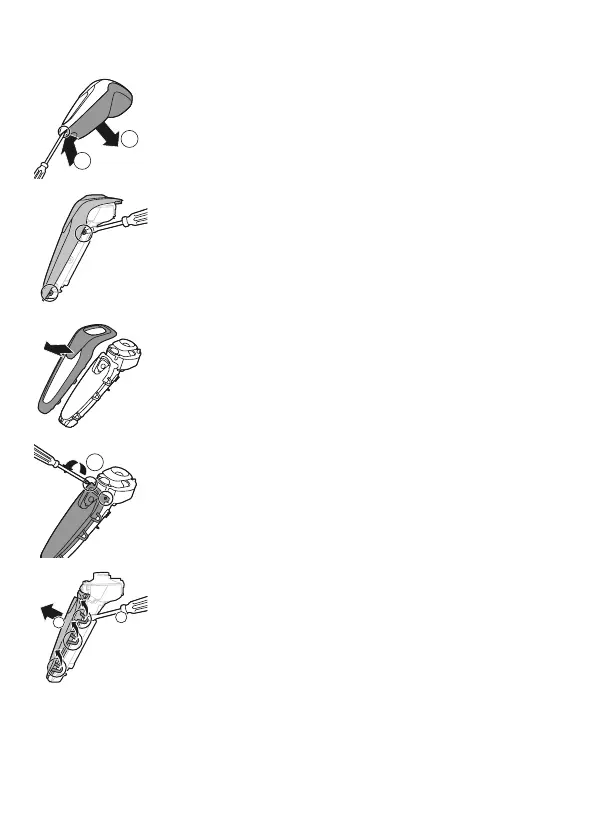
1 Insert the screwdriver into the slot between
the front and back panel in the bottom of the
appliance. Remove the back panel.
2
Remove the spring hooks from the front panel.
3 Remove the front panel.
4 Unscrew the two screws at the top of the
transparent cover of the power unit.
5
Bend the snap hooks aside and remove the
transparent cover of the power unit.
1
2
1
3
2


 To Next Page
 Loading...