6 EN
4 On your Bluetooth device, follow the on-
screen instructions to complete the pairing
and connection.
Disconnect a device
On your device, disable the Bluetooth
connection with this product.
Note
• Before connecting another Bluetooth device, disconnect
thecurrentdevicerst.
Reconnect a device
• For a paired Bluetooth device on which
the automatic reconnection is enabled,
this product reconnects with it once it is
detected.
• For a paired Bluetooth device that does
not support the automatic reconnection,
reconnect it with this product manually.
Clear pairing history
In Bluetooth mode, press and hold POWER for
5 seconds.
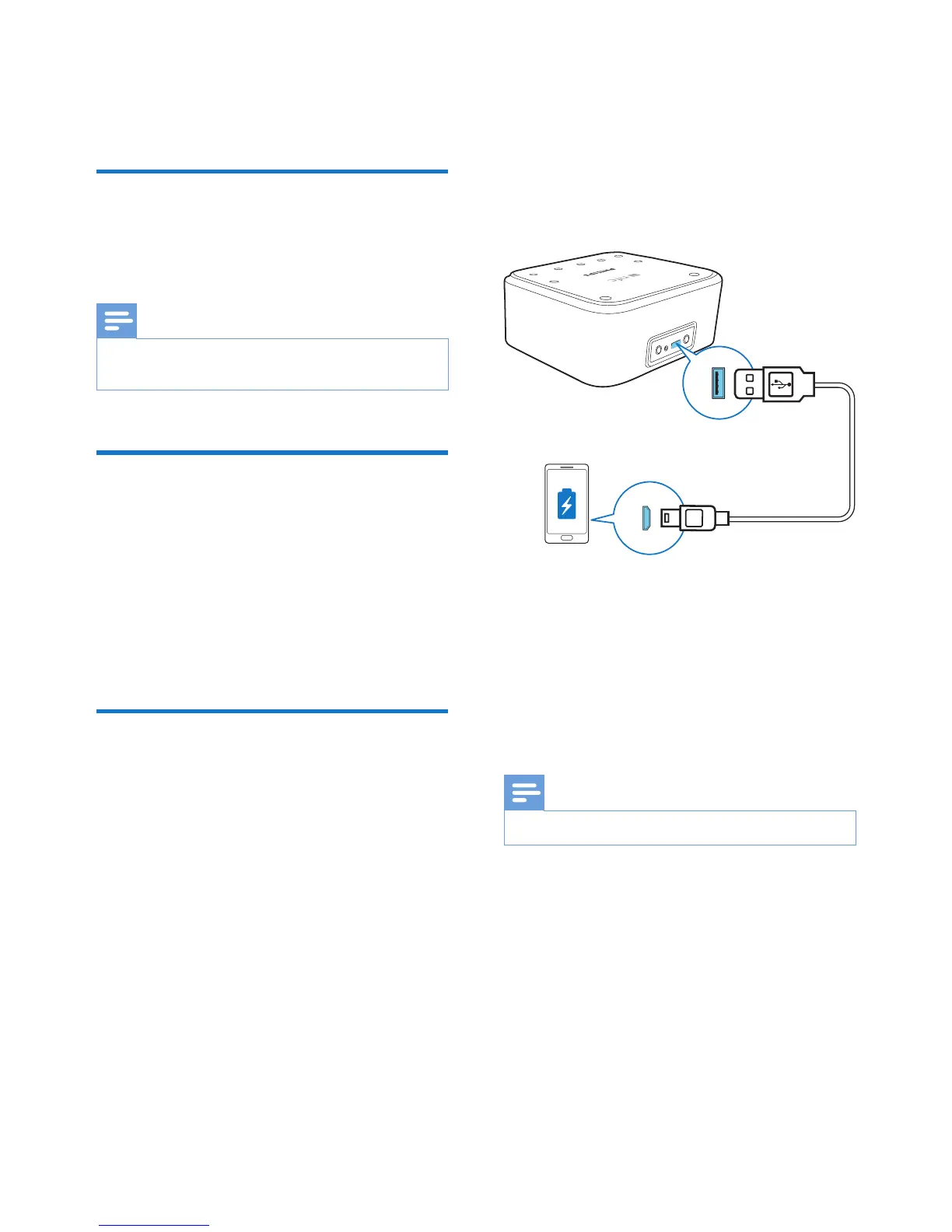
5 Charge through
USB socket
You can connect your USB device to this
product for charging.
1 Connect a USB cable between
• the USB socket on the back of this
product, and
• the USB socket on your USB device.
2 Connect this product to power.
» Once the USB device is recognized,
the charging starts.
Note
• The USB socket is used for charging only.


 To Next Page