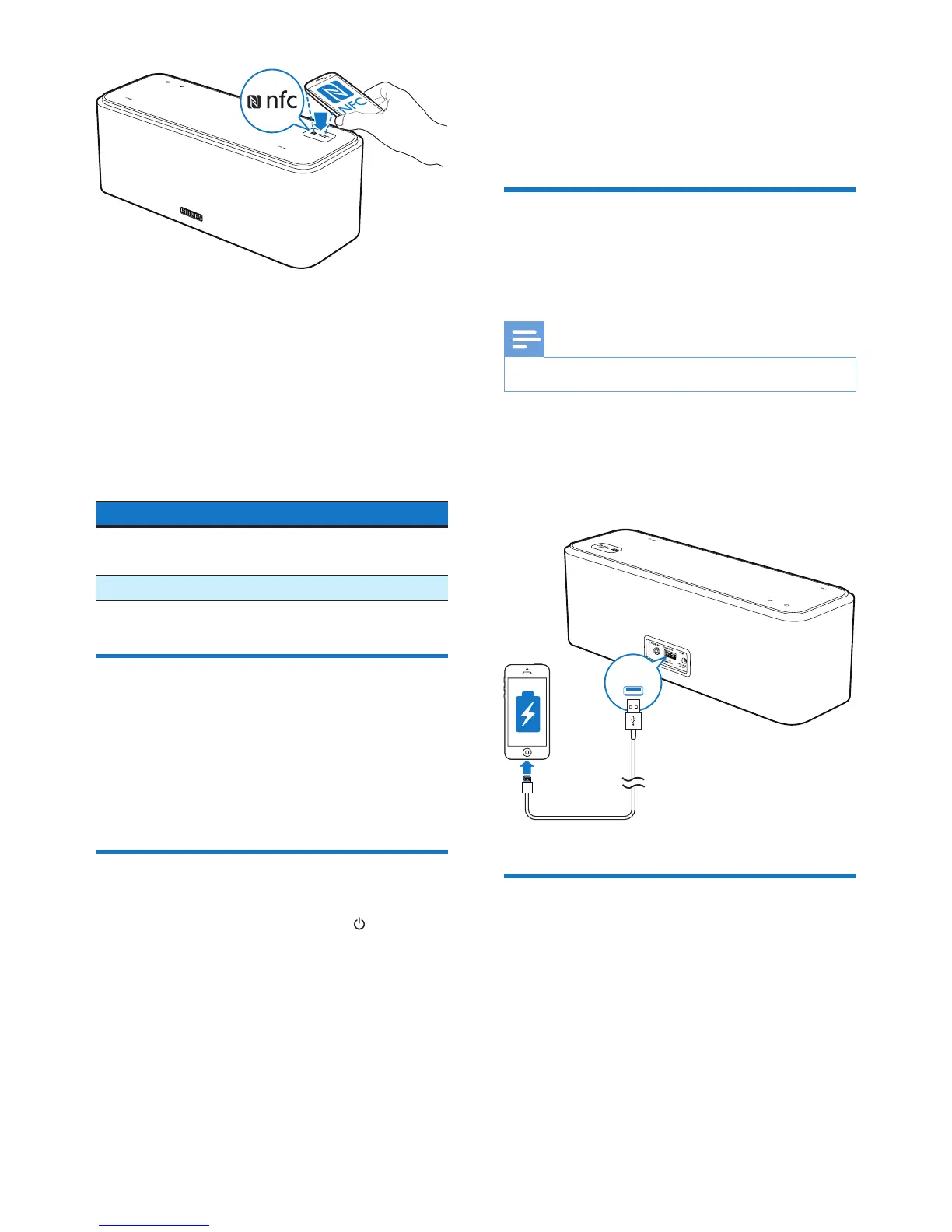
4 On your Bluetooth device, accept the
pairing request with "SB365". If necessary,
input "0000" as the pairing password.
5 Follow the on-screen instructions to
complete the pairing and connection.
» After successful pairing and connection,
the speaker beeps twice, and the
Bluetooth indicator turns solid blue.
LED indicator Description
Flashing blue Connecting or waiting for
connection
Solid blue Connected
Play from Bluetooth device
After successful Bluetooth connection, play
audio on the Bluetooth device.
» Audio streams from your Bluetooth
device to the speaker.
Clear the pairing information
In Bluetooth mode, press and hold for 8
seconds.
» All the Bluetooth pairing information
is erased.
5 Other features
Charge your mobile devices
With this speaker, you can charge your mobile
devices through the CHARGING socket.
Note
• The USB socket is used for charging only.
• Connect to your mobile device with a USB
cable (not supplied).
» Once the device is recognized, the
charging starts.
Listen to an external device
With this speaker, you can also listen to an
external audio device such as an MP3 player.
1 Connect the supplied audio input cable to
• the AUDIO IN socket on this speaker,
and
• the headphone socket on the external
device.
CHARGING



 To Next Page