4
SK303 page 4
Congratulations on your purchase of the
Philips Power Control System (SBC SK303).
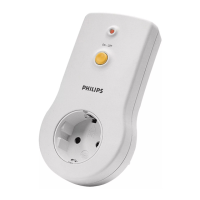
This system contains one key-ring remote
control (SBC SR312) and one Power switch
(SBC SP370). With the Power Control System
you can operate electrical appliances (e.g.
lamps, coffee-maker etc.) with a power rating
of up to 1000 Watts in and around your house
via the key-ring remote control.
You can also use the key-ring remote control
as a GROUP switch, allowing you to operate
several Power switches simultaneously (All
ON / All OFF).
Before connecting an appliance to the Power
Control System, please read this document
carefully.
1. INTRODUCTION
English
QUICK REFERENCE
1.
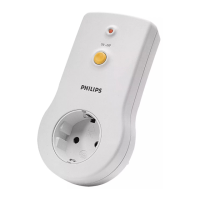
Connect the Power switch to a mains power outlet
(fig. 2)
.
2.
Select the appliance, e.g. a lamp, you want to control, ensuring that its
power rating does not exceed 1000 Watts, and plug it into the Power
switch
(fig. 2)
.
• If the selected appliance has its own ON/OFF switch, make sure it is
switched on.
3.
Use the key-ring remote control to operate the appliance
(fig. 3)
.
When the (+) of the remote control button is pressed, the selected
appliance switches on. When the (-) of the button is pressed, the
selected appliance switches off again.
The Power switch is set at unit code 1 by default.
3. INSTALLATION
2. QUICK REFERENCE
INSTALLATION
Your appliance must be connected to the
Power switch before you can control it with
the key-ring remote control
(fig. 2)
.
• Check that the mains voltage as indicated
on the Power switch corresponds to your
local mains voltage. If it does not, consult
your dealer or service organisation.
• Select the appliance (e.g. lamp) you want to
control, ensuring that its power rating does
not exceed 1000 Watts, and plug it into the
Power switch
(fig. 2)
.
• If the selected appliance has its own
ON/OFF switch, make sure it is switched
on.



 To Next Page