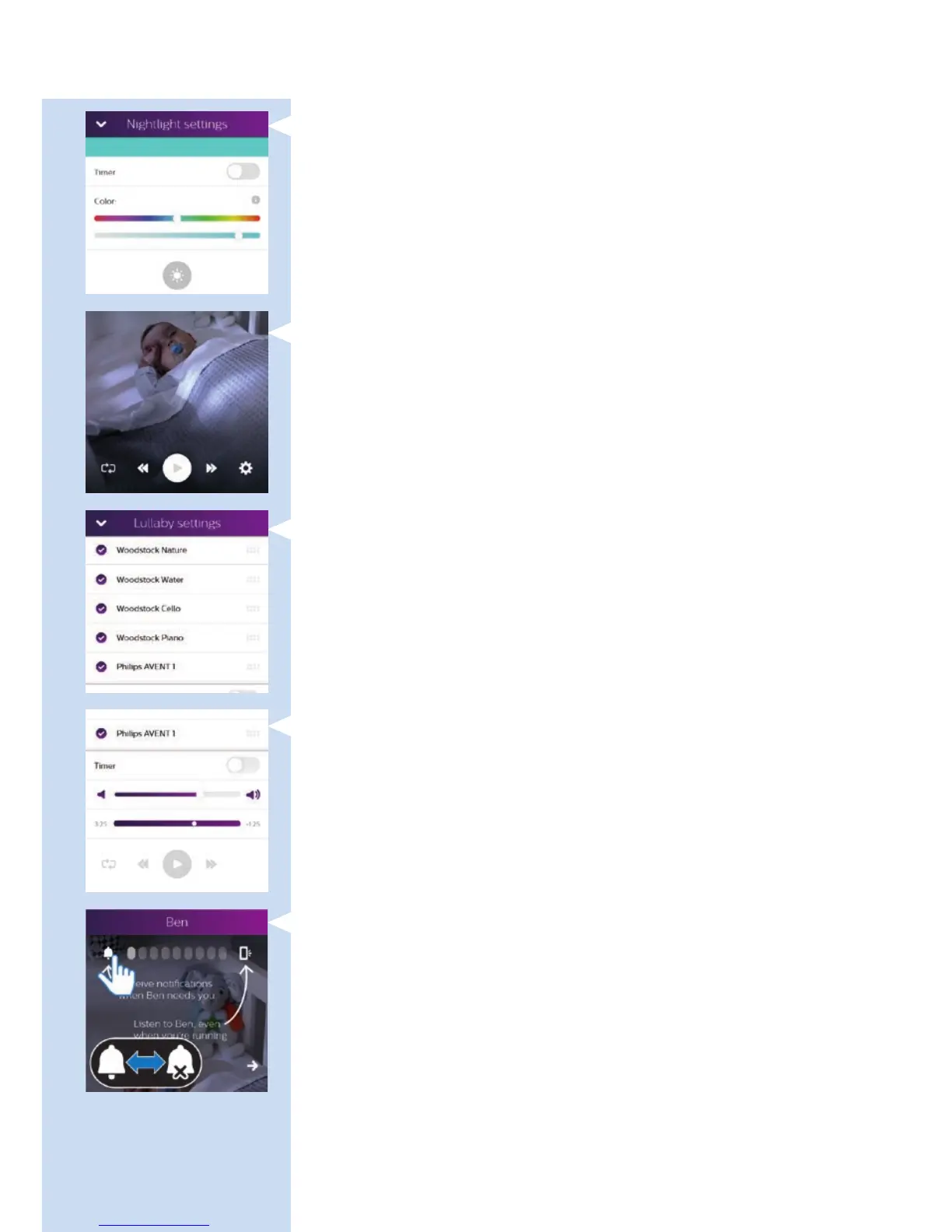
- Set the colour of the nightlight
, Lullabies: tap this button to switch lullaby playing on or off. Tap the
settings icon in the bottom right-hand corner to select the lullabies,
to set a timer and to adjust the volume. Options available:
- Select a lullaby from a list of lullabies
- Program a play list from the lullabies available
- Set the lullaby timer or choose play continuously
- Adjust the playback volume.
Background monitoring icons
- Bell icon: tap to switch notications on or off.
ENGLISH10








 To Next Page