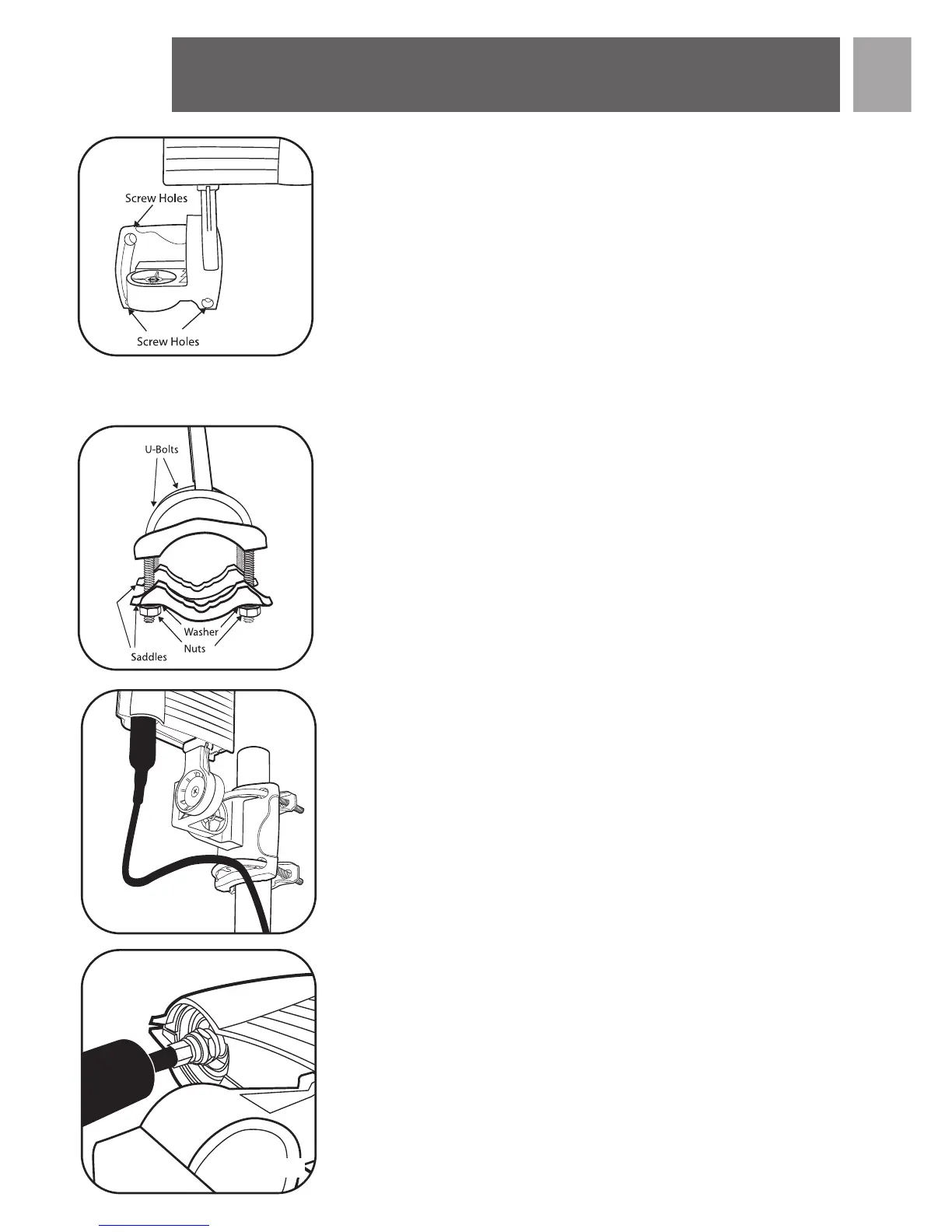
4. Tighten all screws and nuts to firmly affix the aerial to the wall.
5. Attach the cable to the F connector on the underside of the unit and
weather protection boot over the connection.
See next steps under – Connections to your TV
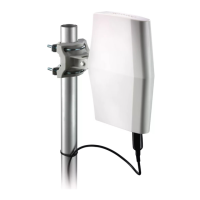
For outdoor mast mount installation:
NOTE: Complete all assembly work on the ground. Raise the completed
aerial after assembly.
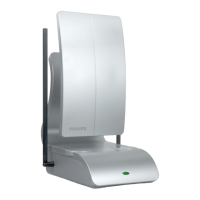
1. Insert U-Bolts into the holes of the wall/mast bracket (fig. 4).
2. Slide the mast clamps onto the U-Bolts (fig. 4).
3. Attach the 4 nuts with lock washers to the U-Bolts - do not tighten
fully (fig. 4).
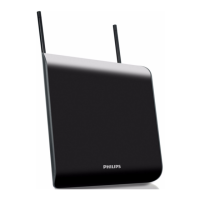
4. Slide the assembly onto the mast. Do not tighten fully, just snug
enough for the assembly to stay in place (fig. 5).
5. Attach the L-Bracket to the wall / mast bracket using cross head
screw and nut.
6. Attach the main body of the aerial to L bracket vertically (Note the
orientation of the bracket. Fully tighten this screw).
7. Tighten all screws and nuts to firmly affix the aerial to the mast.
8. Adjustment of the direction will be done by rotating the mast in its
mount.
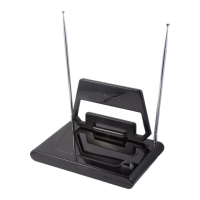
9. Attach the cable to the connector on the underside of the unit and
weather protection boot over the connection (fig.6).
EN
Installation
5
fig.3
fig.4
fig.5
fig.6


 To Next Page