This document is a user manual for Philips SHB3165 and SHB3185 Bluetooth wireless headphones. It provides information on safety, setup, usage, technical specifications, and regulatory notices.
Function Description:
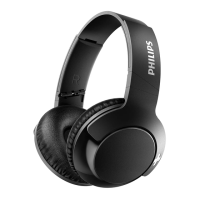
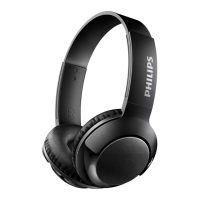
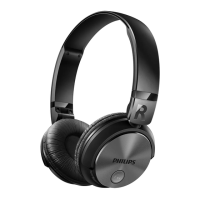
The Philips SHB3165/SHB3185 are on-ear Bluetooth wireless headphones designed for convenient hands-free calls and wireless music enjoyment. They allow users to switch between calls and music seamlessly. The headphones connect to mobile phones or other Bluetooth-enabled devices such as notebooks, PDAs, Bluetooth adapters, and MP3 players.
Important Technical Specifications:
- Battery Life:
- 11 hours of music time or talk time.
- 200 hours of standby time.
- Normal full charge time: 3 hours.
- Battery Type: Rechargeable Lithium-Polymer battery (230 mAh).
- Bluetooth:
- Bluetooth 3.0.
- Supports Bluetooth mono (Headphones Profile - HSP, Hands-Free Profile - HFP) and stereo (Advanced Audio Distribution Profile - A2DP; Audio Video Remote Control Profile - AVRCP).
- Operating Range: Up to 10 meters (33 feet).
- Audio Features: Digital echo & noise reduction.
- Power Management: Auto power off feature to save battery life.
- Charging: Micro USB charging slot.
Usage Features:
- Controls:
- Music/Call control button (►II): Press once to play/pause music or pick up/hang up a call.
- LED indicator: Provides visual feedback on status (pairing, connected, low battery, charging).
- Power button (⏻): Press and hold for 2 seconds to turn on, 4 seconds to turn off.
- Microphone: For calls.
- Pairing/Mute button (⏻ / ⏻): Press and hold to enter pairing mode, press once to mute/unmute microphone.
- Micro USB charging slot: For charging the headphones.
- Volume/Track control (VOL +/- / ►► / ◄◄): Press once to skip forward/backward tracks, press and hold to adjust volume.
- NFC detection area: For quick pairing with NFC-enabled devices.
- Pairing:
- Manual Pairing: Turn on headphones, press and hold the pairing button until blue and white LED flashes alternately, then enable Bluetooth on your mobile phone and select "Philips SHB3165/SHB3185". Enter "0000" if prompted (not needed for Bluetooth 3.0 or higher).
- NFC Pairing: Ensure headphones are on and NFC is active on your phone. Place the phone over the headset's NFC detection area to initiate pairing. Suitable for Android 4.2 or above.
- Call Management:
- Pick up/hang up a call: Press the Music/Call control button once.
- Reject an incoming call: Press and hold the Music/Call control button for 2 seconds.
- Switch caller during a call: Press the Volume/Track control button once.
- Mute/unmute microphone: Press the Pairing/Mute button once.
- Voice Control: Press the Siri/Google Now button once to activate voice assistant.
- Headphone Status Indicators:
- Connected/Standby/Listening: Blue LED flashes every 8 seconds.
- Ready for pairing: LED flashes blue and white alternately.
- On but not connected: Blue LED flashes quickly.
- Low battery: White LED flashes 3 times every 150 seconds until power runs out.
- Fully charged: White LED is off.
- Wearing: Adjustable headband to fit the head.
- Storage: Twist the headphones for easy storage after use.
- Factory Reset: When powered off, press and hold the power button for 10 seconds. The headphones will power on, enter pairing mode, and then power off, restoring factory settings.
Maintenance Features:
- Cleaning: Use a soft cloth, dampened with a minimum amount of water or diluted mild soap if necessary. Avoid cleaning agents containing alcohol, ammonia, benzene, or abrasives.
- Charging: Use only the original USB charging cable. Charge the battery for 5 hours before first use for optimum capacity and lifetime.
- Battery Replacement: Danger of explosion if the battery is incorrectly replaced. Replace only with the same or equivalent type. The integrated battery should not be exposed to excessive heat.
- Storage Conditions: Operate or store in temperatures between -15°C (5°F) and 55°C (131°F) (up to 90% relative humidity). Battery life may be shorter in high or low temperature conditions.
- Water Exposure: Do not expose headphones to dripping or splashing, and do not submerge them in water.
- Disposal: The product contains a built-in rechargeable battery that should not be disposed of with normal household waste. It is advised to take the product to an official collection point or a Philips service center for professional battery removal and proper recycling. The product is designed with high-quality recyclable and reusable materials.
- Auto Power Off: If the headset fails to connect to any Bluetooth device within range for 5 minutes, it will automatically switch off to save battery life.

 Need help?


 To Next Page
 General