3
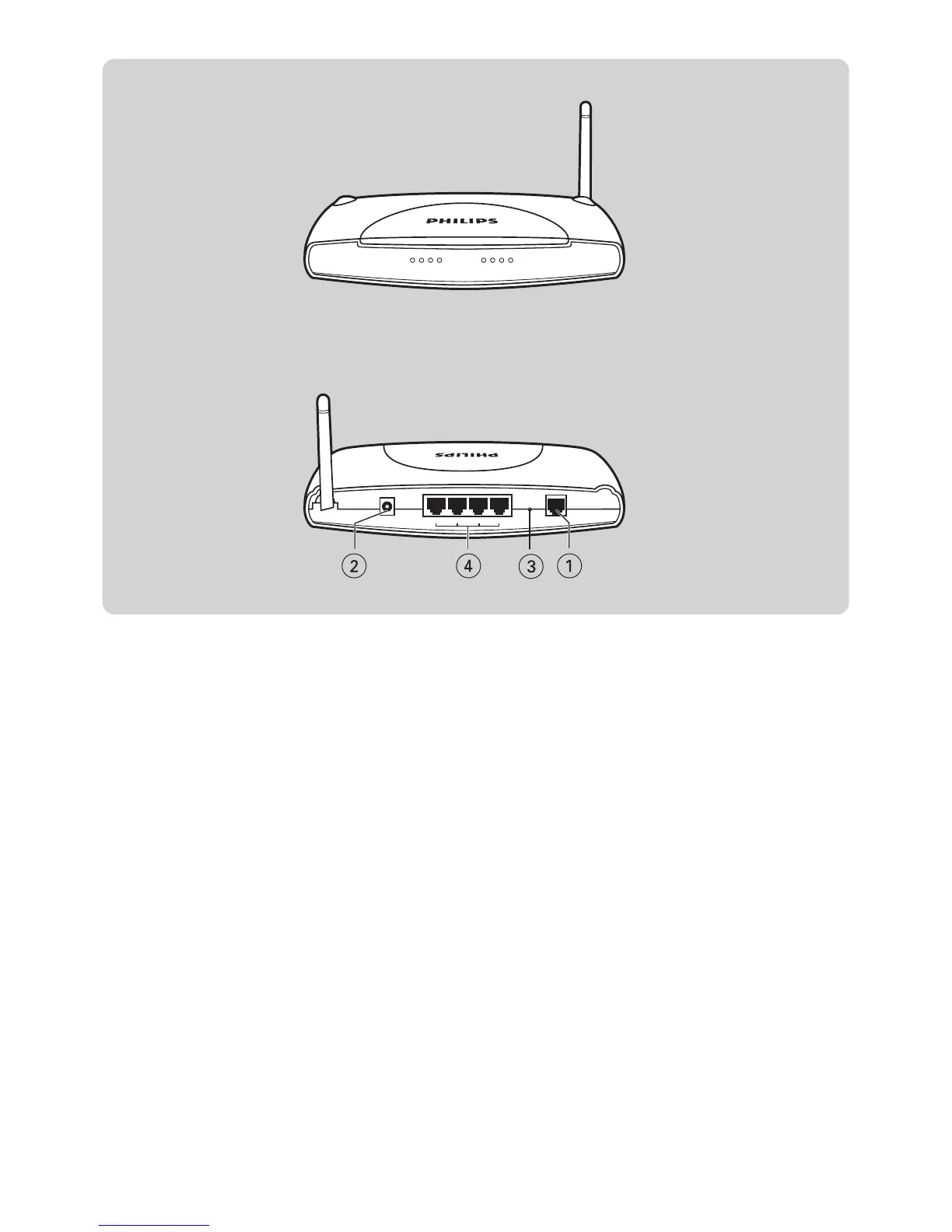
1 ADSL Port
ADSL port (RJ-11). Connect your ADSL line to this port.
2 Power Inlet
Connect the included power adapter to this inlet.
Warning: Using the wrong type of power adapter may damage the
ADSL Wireless Modem Router.
3 Reset Button
Use this button to reset the power and restore the default factory settings. To reset without losing configuration settings, see
‘Reset’ on page 28-29.
4 LAN Ports
10/100 Ethernet ports (RJ-45). Connect devices on your local area network to these ports (i.e., a PC, hub, or switch).



 To Next Page