EN
10
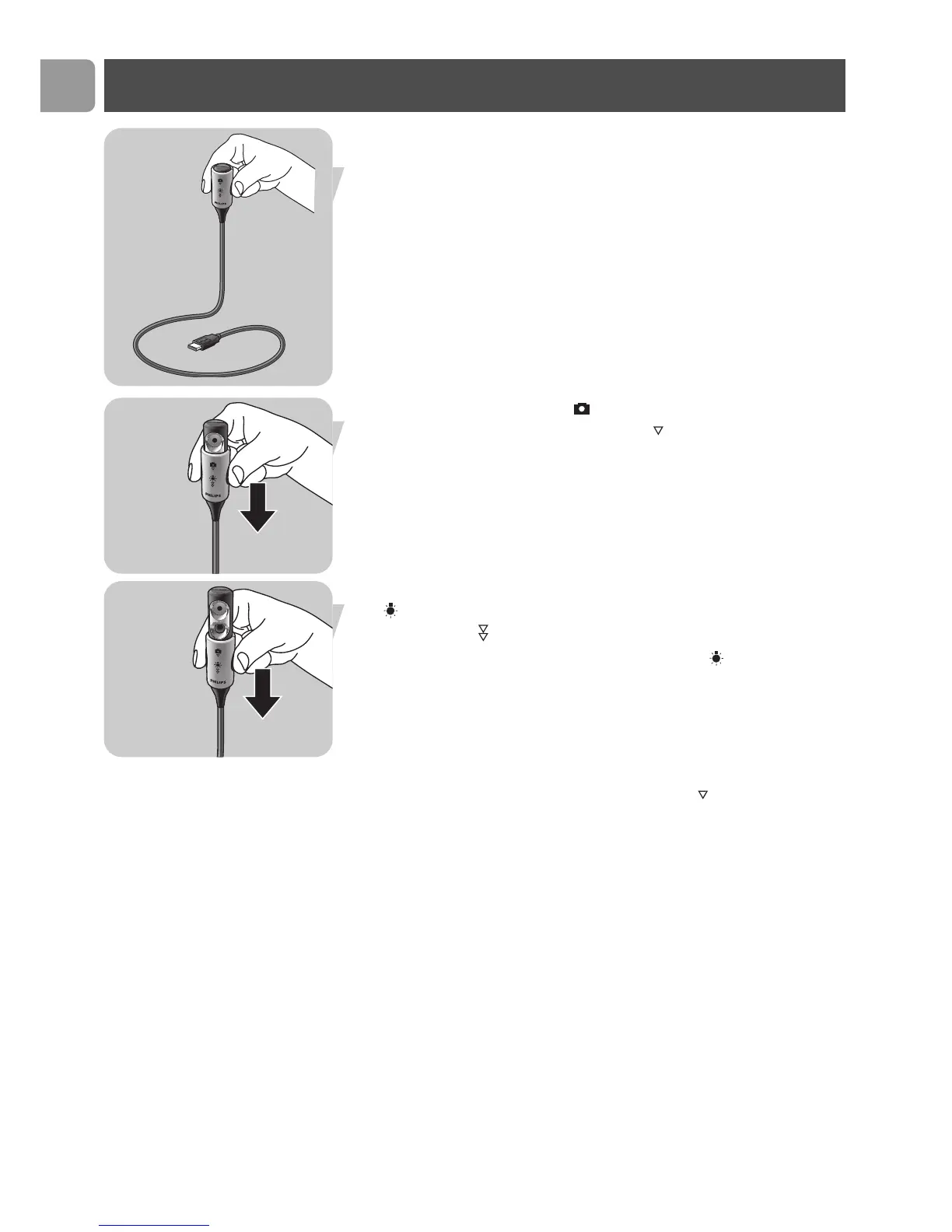
Putting the WebCam into operation mode
1 Bend the WebCam neck into the desired position.
2 Switch on the WebCam ( ) by sliding the lens cover
(light switch) one click downwards ( ).
> The WebCam is now in operation mode but will only function
when the applications are started up.
See chapter ‘Using the applications’.
• If desired you can switch on the front light / keyboard light
( ) by sliding the light switch (lens cover) one more click
downwards ( ).
To switch off the front light / keyboard light ( ),
slide the light switch (lens cover) one click upward.
Notes!
– When using the WebCam be sure to slide the lens cover
(light switch) at least one click downwards ( ).
– When the WebCam is not in use, be sure to slide the lens cover
(light switch) all the way up (two clicks) to protect the lens.
Installation
1x click
2x click


 To Next Page