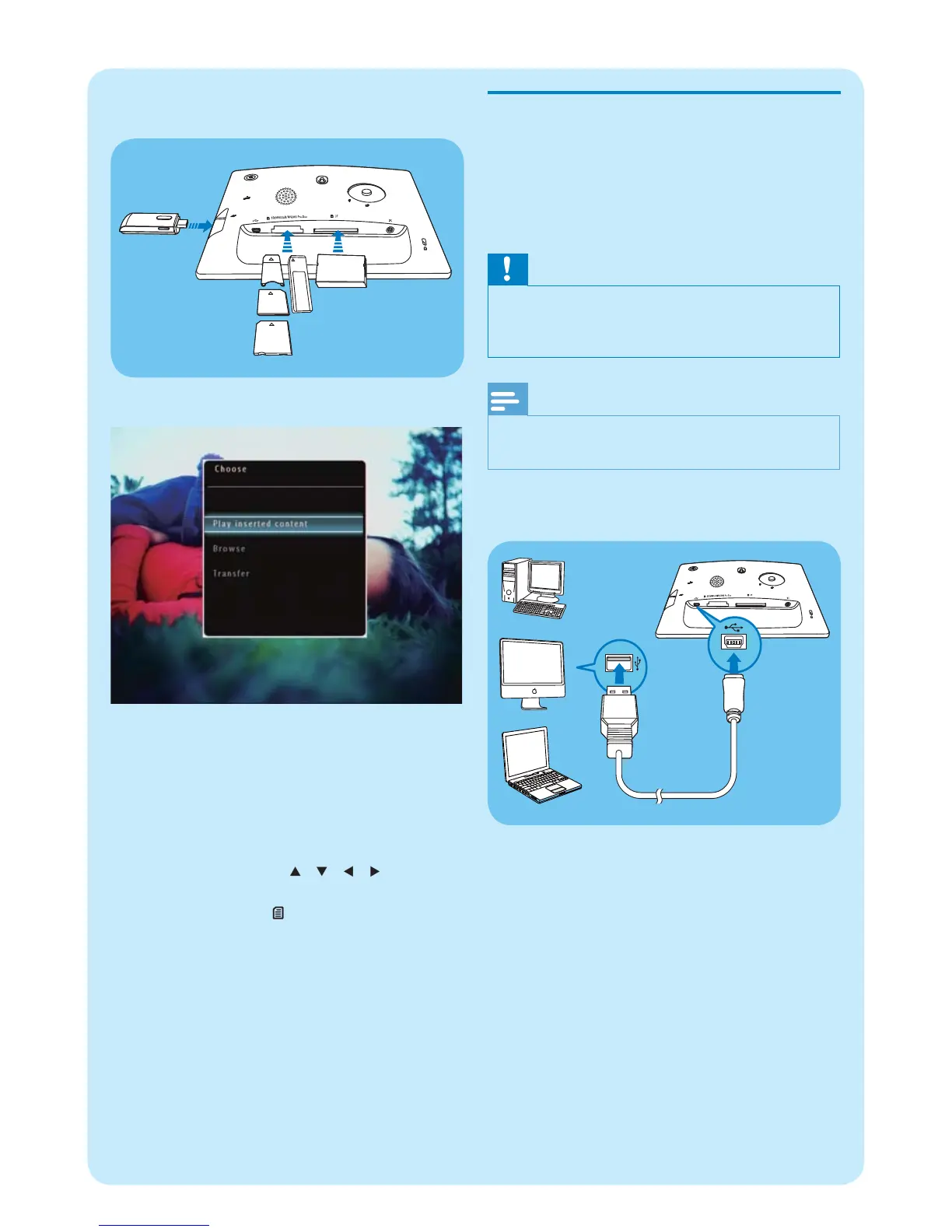
Transfer by Philips PhotoFrame
Manager (SPF7008/SPF7208/
SPF7010/SPF7210)
Recommended way for SPF7008/SPF7208/
SPF7010/SPF7210.
Caution
Do not disconnect the PhotoFrame from the PC when •
fi les are transferring between the PhotoFrame and
the PC.
Note
Ensure that Philips PhotoFrame Manager is installed •
on your PC.
1 Connect the supplied USB cable to the
PhotoFrame and to a PC.
Philips PhotoFrame Manager starts »
automatically.
SPF5010/SPF5210/SPF7008/SPF7208/•
SPF7010/SPF7210
An option menu is displayed.•
2 Select [Transfer] , and then tap OK to confi rm.
A confi rmation message is displayed. »
3 To select all photos or video/music fi les, select
[Yes] and then tap OK to confi rm.
To select some of photos or video/•
music fi les, select [No] and then tap OK
to confi rm. Tap / / / and OK
to select photos or video/music fi les,
and then tap to continue the transfer
operation.
4 Select a destination album on the PhotoFrame,
and then tap OK to confi rm.
Photos/video fi les are transferred to the »
PhotoFrame.
To remove a storage device, pull it out from
•
the PhotoFrame.



 To Next Page