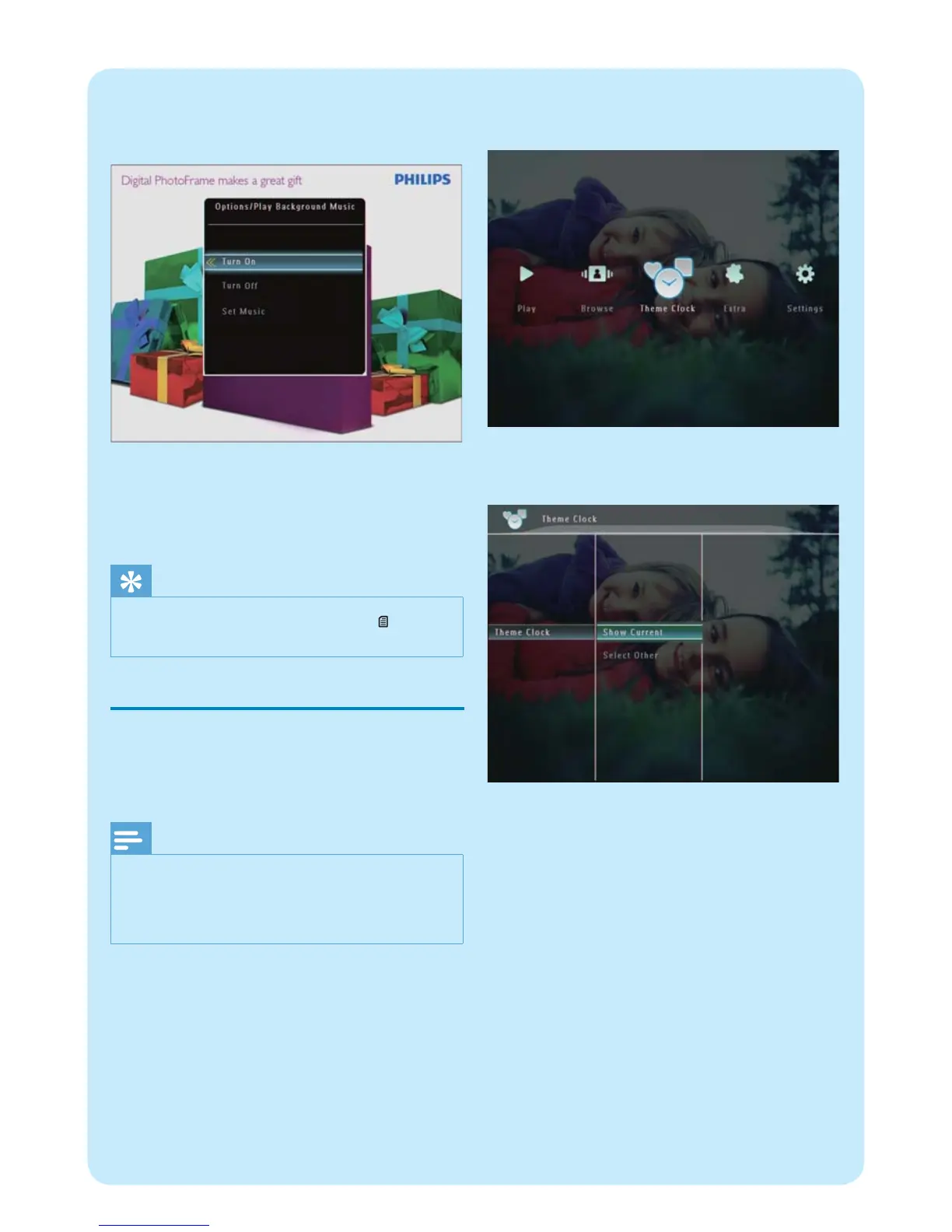
If you have set music before :
In • [Play Background Music] menu, select
[Turn On] and then tap OK to confi rm.
Selected music fi les are played.•
To stop music play :
In • [Play Background Music] menu, select
[Turn Off] and then tap OK to confi rm.
Tip
After a music fi le is selected, you can tap • to access
the option menu to copy/delete it.
Display a theme clock (SPF5008/
SPF5208/SPF7008/SPF7208/
SPF7010/SPF7210)
Note
Ensure that you have installed a theme clock in your •
PhotoFrame.
You can also download latest theme clocks from www.
•
philips.com/support, in the coming future.
1 In the home screen, select [Theme Clock] and
then tap OK to confi rm.
2 Select [Show Current] , and then tap OK to
confi rm.
To select and install another theme clock :
1 Download a theme clock and save it in an SD
card before you install it.
2 Insert the SD card into the PhotoFrame.
3 In [Theme Clock] menu, select [Select Other]
and then tap OK to confi rm.
4 Select a theme clock, and then tap OK to
confi rm.
After the theme clock is installed, it is »
displayed automatically.



 To Next Page