Need help?
Do you have a question about the Philips TAA7607 and is the answer not in the manual?
Guidelines for safe listening volumes and duration to prevent hearing damage.
Instructions to avoid damage or malfunction and general usage precautions.
Lists all accessories provided with the Philips headphones.
Details compatible devices for Bluetooth connection.
Instructions for downloading and using the Philips Headphones App.
Step-by-step guide on how to charge the headphones for optimal performance.
Procedure for establishing a Bluetooth connection between headphones and a mobile device.
Steps to connect the headphones to a Bluetooth-enabled device.
Information on connecting the headphones to two devices simultaneously.
How to handle incoming calls and control music playback.
Detailed instructions for controlling music playback and managing calls.
Explanation of the LED indicators for various headphone states.
Statement confirming compliance with EU directives and UK regulations.
Guidance on the proper and environmentally-friendly disposal of the product and battery.
Steps for safely removing the integrated rechargeable battery.
Confirmation of compliance with regulations regarding electromagnetic field exposure.
Details on compliance with FCC and Canada's IC regulations for digital devices.
Information regarding the Bluetooth word mark and logos.
Information regarding the Siri trademark.
Troubleshooting steps for headphones that will not power on.
Solutions for problems with pairing or connecting to Bluetooth devices.
Guidance on resolving poor audio quality, crackling, or playback control issues.
 General
| Backlight | Yes |
|---|---|
| Control type | Buttons |
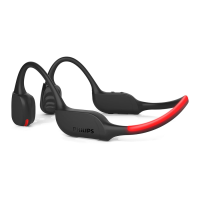
| Product type | Headphones |
| Product color | Black, Red |
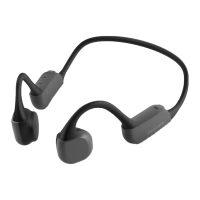
| Wearing style | Neck-band |
| Recommended usage | Sports |
| Protection features | Dust resistant, Waterproof |
| International Protection (IP) code | IP66 |
| Battery type | Built-in battery |
| Standby time | 80 h |
| Battery capacity | 160 mAh |
| Battery recharge time | 2 h |
| Continuous audio playback time | 9 h |
| USB connector | - |
| Wireless range | 10 m |
| Bluetooth version | 5.2 |
| Bluetooth profiles | A2DP, AVRCP, HFP |
| Connectivity technology | Wireless |
| Package type | Box |
| Package depth | 70 mm |
| Package width | 170 mm |
| Package height | 192 mm |
| Package weight | 234 g |
| Quantity | 1 |
| Charging stand | No |
| Microphone type | In-line |
 Weight and Dimensions
| Depth | 96 mm |
|---|---|
| Width | 140 mm |
| Height | 55 mm |
| Weight | 35 g |

 To Next Page