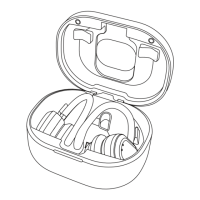
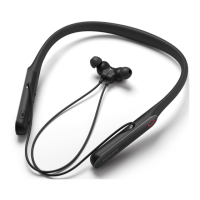
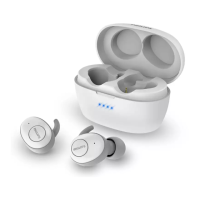
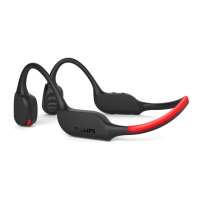
The Philips TAA7607 Sports Headphones are designed for active individuals seeking a convenient and high-quality audio experience during their workouts or daily activities. These wireless Bluetooth headphones offer hands-free calling, music control, and a comfortable, secure fit, making them ideal for sports and on-the-go use.
Function Description
The Philips TAA7607 headphones provide a wireless audio solution, connecting to your mobile phone or other Bluetooth-enabled devices to stream music and manage calls. They are equipped with both air microphones and bone conduction microphones, allowing for clear communication even in noisy environments. The integrated running light enhances visibility during evening or low-light activities, contributing to user safety. The headphones feature a multi-function button (MFB) for various controls, volume adjustments, and a power button for easy on/off operation. A magnetic charging slot ensures convenient and secure charging.
Usage Features
Getting Started:
To begin using the headphones, it is recommended to fully charge them for two hours to optimize battery capacity and lifetime. The charging process involves connecting the supplied magnetic charging cable to the headphones' magnetic charging slot and a charger/USB port of a computer. A white LED indicates charging, turning off when fully charged.
Pairing with a Mobile Phone:
Before initial use, the headphones must be paired with a mobile phone. Ensure the headphones are fully charged and turned off. Press and hold the power button for 4 seconds until the blue and white LEDs flash quickly, indicating pairing mode. This mode remains active for 5 minutes. On your mobile phone, activate Bluetooth and select "Philips TAA7607" from the list of available devices. If prompted, enter "0000" as the password (not required for Bluetooth 3.0 or higher devices). The headphones store up to four paired devices, replacing the earliest one if more than four are attempted.
Connecting to a Bluetooth Device:
After pairing, simply turn on your mobile phone/Bluetooth device and then press and hold the on/off button on the headphones. A blue LED will illuminate for 1 second, and the headphones will automatically reconnect to the last connected device. If the last device is unavailable, the headphones will enter pairing mode. If the mobile phone/Bluetooth device is turned on or Bluetooth is activated after the headphones, manual reconnection may be necessary.
Multi-Point Connection:
The headphones support multi-point connection, allowing them to be paired with two devices simultaneously, such as a mobile phone and a notebook. While you can only listen to music from one device at a time, the other device can be used for phone calls. To switch audio sources, pause playback on the current device and then start playing audio from the other device. When streaming audio from one device, an incoming call on the second device will automatically pause playback and route the call to the headphones. Ending the call will resume playback from the original device.
Managing Calls and Music:
- Power On/Off: Press and hold the power button for 2 seconds to turn on, and for 4 seconds to turn off. A blue LED indicates power status.
- Play/Pause Music: Press the MFB once.
- Adjust Volume: Press the +/- buttons.
- Next/Previous Track: Long press the + button for the next track, and the - button for the previous track.
- Answer/Hang Up Call: Press the MFB once.
- Reject Call: Long press the MFB.
- Switch Caller During Call: Press the MFB twice.
- Switch to Bone Mic During Call: Long press the Volume + button. This feature is particularly useful in loud or windy environments, transmitting your voice via the bone mic in the right headphone for clearer communication.
- Switch to Air Mic During Call: Long press the Volume - button.
Running Light:
The running light can be controlled with a dedicated button. Press once for slow blinking, twice for fast blinking, three times for constant on, and four times to turn it off.
Headphones Indicator Status:
- Connected and Standby/Listening: The blue LED flashes once every 4 seconds.
- Ready for Pairing: The LED flashes blue quickly.
- On but Not Connected: The blue LED flashes twice every 3 seconds. If no connection is made within 5 minutes, the headphones will automatically turn off.
- Low Battery: The blue LED flashes 3 times every minute until power runs out.
- Fully Charged: The blue LED is off.
App Integration:
The Philips Headphones App, available on Apple App Store and Google Play, allows users to customize their listening experience. Through the app, you can adjust sound settings to best suit your music and calling needs.
Maintenance Features
General Care:
To ensure the longevity and optimal performance of your headphones, avoid exposing them to excessive heat, dropping them, or submerging them in water. The headphones are designed to be resistant to dripping and splashing (refer to the specific IP rating for details). Do not charge the headphones if the connector or socket is wet.
Cleaning:
When cleaning is necessary, use a soft cloth. If needed, the cloth can be slightly dampened with water or a diluted mild soap. Avoid using cleaning agents that contain alcohol, ammonia, benzene, or abrasives, as these can damage the product.
Battery Care:
The integrated battery should not be exposed to excessive heat sources like sunshine or fire. Incorrect battery replacement carries a risk of explosion; only replace with the same or equivalent type. To maintain the specific IP rating, ensure the charging slot cover is closed. Avoid disposing of the battery in fire or a hot oven, or mechanically crushing or cutting it, as this can lead to an explosion. Extreme high or low temperatures can also cause an explosion or leakage of flammable liquid/gas. Battery life may be shorter in high or low temperature conditions.
Storage:
Store the headphones in a place where the temperature is between -20°C (-4°F) and 50°C (122°F) with up to 90% relative humidity. For operation, the temperature should be between 0°C (32°F) and 45°C (113°F) with up to 90% relative humidity.
Environmental Responsibility:
The product is designed with high-quality, recyclable materials. It contains a built-in rechargeable lithium polymer battery (160 mAh) that should not be disposed of with normal household waste. Users are advised to take the product to an official collection point or a Philips service center for professional battery removal and proper disposal, following local regulations for electrical and electronic products and rechargeable batteries. This helps prevent negative environmental and health consequences. The packaging materials (cardboard, polystyrene foam, polyethylene) are also designed for easy separation and recycling.


 To Next Page
 General