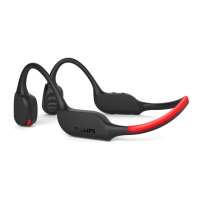
4 Use your
headphones
Connect the headphones
to your Bluetooth device
Turn on your mobile phone/
Bluetooth device.
turn the headphones on.
The blue LED is on for 1 second
The headphones are reconnect-
ed to the last connected mobile
phone/ Bluetooth device
automatically. If the last one is
not available, the headphones
will be in pairing mode
Manage your calls and
music
Task Button Operation
Turn the
headphones
on
Power
button
Press and hold
for 2 seconds
Turn the
headphones
Power
button
Press and hold
for 4 seconds
The blue
LED is on
for 1 second
If you turn on the mobile phone/Bluetooth
device or activate the Bluetooth feature after
turning on the headphones, you have to
reconnect the headphones and mobile
phone/Bluetooth device manually.
6 EN
If the headphones fail to connect to any
Bluetooth device within range in 5 minutes,
battery life.
1
2
Note
When streaming audio from Device 1, receiving
a call from Device 2 will automatically pause
Device 1 playback. And the call will be routed
automatically to headphones.
Ending the call will automatically resume
playback from device 1.
Multi-point connection
Pairing
• Pairing the headphones to two
devices, e.g. mobile phone and
notebook.
Switch between device
• At anytime, you can only listen to
music from one device. Another
device will be for phone call.
• Pause the audio from one device
and then start play audio from the
another device.


 To Next Page