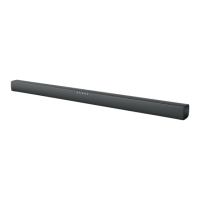
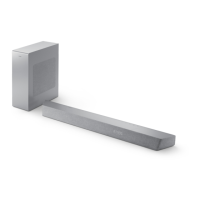
This document is the user manual for the Philips Soundbar 4000 Series, model TAB4108. It provides comprehensive information on the soundbar's features, setup, usage, and maintenance.
Function Description
The Philips TAB4108 is a soundbar designed to enhance the audio experience of a TV and other connected devices. It offers various input options, including HDMI (ARC), AUX IN, and USB, allowing users to connect a wide range of audio sources. The soundbar also supports Bluetooth connectivity, enabling wireless audio streaming from compatible devices like smartphones, tablets, and laptops. It features built-in speakers and provides controls for adjusting volume, bass, and treble, as well as selecting different equalizer (EQ) modes for optimized sound (Movie, Music, Voice, Stadium). The soundbar can be placed on a surface or wall-mounted.
Important Technical Specifications
- Model: TAB4108
- Series: 4000 Series Soundbar
- Main Unit Dimensions (W x H x D): 570 x 73 x 80 mm
- Main Unit Weight: 1.0 kg
- Output Power: 13V/1.8A
- Input: 100-240V AC 50/60Hz
- Standby Power Consumption: ≤1W
- Built-in Speakers: 2 x full range (5.25", 4 ohm)
- RMS Total Output Power: 30W RMS (10% THD)
- Frequency Response: 150 Hz-20 kHz / ±3 dB
- Signal-to-Noise Ratio: > 75 dB (CCIR) / (A-weighted)
- Total Harmonic Distortion: <1%
- Input Sensitivity (LINE IN): 800mV +/-50mV
- Bluetooth Profiles: A2DP, AVRCP
- Bluetooth Version: 5.3
- Bluetooth Frequency Band/Output Power: 2402-2480 MHz / ≤ 20 dBm
- Remote Control Batteries: 2 x AAA-1.5 V
Usage Features
- Input Source Switching: The soundbar allows users to easily switch between different input sources (Audio In, Bluetooth, USB, HDMI ARC) using either the main unit buttons or the remote control.
- Volume Control: Volume can be adjusted via buttons on the soundbar itself or through the remote control. The LED indicator on the soundbar shows the current volume level (0 to max 30).
- Tone Control: Dedicated buttons on the remote control allow for independent adjustment of bass and treble levels, ranging from -5 to +5.
- Equalizer (EQ) Modes: The remote control includes an EQ button to cycle through predefined sound modes: "OIL" (Movie), "USIC" (Music), "OICE" (Voice), and "StAd" (Stadium), optimizing audio for different content types.
- MP3 Player Connectivity: Users can connect an MP3 player via the 3.5mm AUX IN jack or play music directly from a USB disk by inserting it into the USB port and selecting the USB input.
- Bluetooth Audio Streaming: The soundbar supports Bluetooth 5.3 for wireless audio playback from compatible devices within an operational range of approximately 4 meters (13 feet). It supports A2DP and AVRCP profiles. Connection is initiated by switching to "bt" mode, searching for "TAB4108" on the Bluetooth device, and connecting. A voice notification confirms successful connection.
- HDMI ARC Connectivity: For optimal audio quality from a TV, the soundbar can be connected via an HDMI (ARC) port. This allows the TV's audio to be played through the soundbar using a single HDMI cable, provided the TV supports HDMI ARC and HDMI-CEC operations are enabled.
- Auto Standby: To conserve energy, the soundbar automatically switches to standby mode after 15 minutes of button inactivity and no audio playback from a connected device.
- Wall Mounting: The soundbar can be wall-mounted using appropriate screws and dowels, with specific instructions provided in the quick start guide.
Maintenance Features
- Cleaning: The product should only be cleaned with a dry microfiber cloth.
- Software Updates: Philips may offer software upgrades to continually improve the product. Users are advised to visit www.philips.com/support to check for the latest software versions.
- Troubleshooting Guide: The manual includes a troubleshooting section to help users diagnose and resolve common issues related to the main unit, sound, and Bluetooth connectivity before seeking service.
- Battery Replacement: Instructions for replacing the remote control batteries are provided, emphasizing safety precautions for coin/button type batteries.
- Environmental Care: The product is designed with recyclable materials. Information on proper disposal of the product and batteries according to local regulations is provided, aligning with European Directive 2012/19/EU for electrical and electronic products and 2013/56/EU for batteries.
- Safety Instructions: Comprehensive safety instructions are included, covering aspects like power cord protection, use of specified attachments, handling during lightning storms, and proper ventilation. It also warns against exposing the apparatus to dripping or splashing liquids and against placing dangerous objects on it.

 Need help?
 General

 To Next Page