14
4
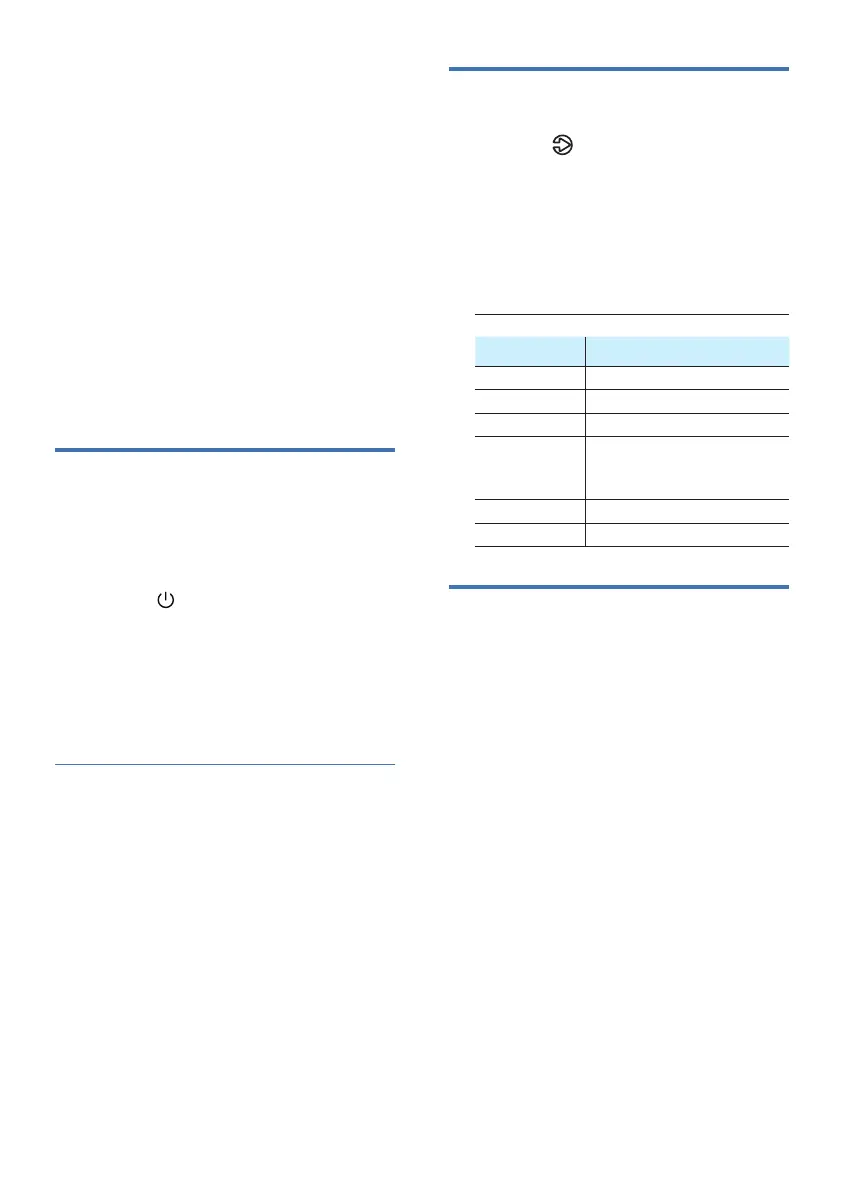
Turn ON and OFF
Auto standby
Select source
Status LED State
AUX [AUX/USB] Solid white
USB [AUX/USB] Blinking white
Standby [Standby] Solid red
Pair/BT
• Connected
• Connection
[BT] Solid white
[BT] Blinking white
OPTICAL [OPT] Solid white
HDMI ARC [HDMI ARC] Solid white
Select equalizer (EQ)
effect
Use your
soundbar
Before you start
This section helps you use the soundbar to
play audio from connected devices.
1 Press the button repeatedly on the
unit or press the AUX, Optical, HDMI
ARC, Pair/BT, USB buttons on the
remote control to select the desired
mode.
The indicator light on the
soundbar will show which mode
is currently in use.
• Make the necessary connections
described in the quick start guide and
the user manual.
• Switch the soundbar to the correct
source for other devices.
main socket, the unit will be in
STANDBY mode. The [Standby]
indicator will light up.
• Press the button on the remote
control or on the main unit to switch
the main unit ON or OFF.
• Disconnect the main plug from the
main socket if you want to switch the
The unit automatically turns to standby
mode after about 15 minutes if the TV or
the external unit is disconnected or
remove the mains plug from the mains
socket.
save energy when not in use.
video or music.
1 Press the EQ button on the remote
control to select your desired preset
Movie
• Movie (5 LEDs blink): Create a surround
listening experience. Ideal for watching
movies.
• Music (4 LEDs blink): Create
two-channel or multichannel stereo
sound. Ideal for listening to music.
• Voice (3 LEDs blink): Create sound
clear and outstanding for listening.












 To Next Page