4 Use your
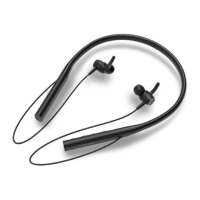
headphones
Connect the headphones
to your Bluetooth device
Turn on your mobile phone/
Bluetooth device.
turn the headphones on.
The white LED is on 1 second
The headphones are reconnected
to the last connected mobile
phone/ Bluetooth device
automatically. If the last one is
not available, the headphones
will be in pairing mode
Manage your calls and
music
Task Button Operation
Turn the
headphones
on
Power
button
Press and hold
for 2 seconds
Turn the
headphones
Power
button
Press and hold
for 4 seconds
The white
LED is on
1 second
Music control
Task Button Operation
MFBPlay or pause
music
Press once
Press once
Long press
Long press
Adjust volume
Next track
Previous track
Call control
Task
Button
Operation
Answer/hang
up a call
Reject a call
MFB
MFB
Press once
Long press
If you turn on the mobile phone/Bluetooth
device or activate the Bluetooth feature after
turning on the headphones, you have to
reconnect the headphones and mobile phone/
Bluetooth device manually.
6 EN
If the headphones fail to connect to any
Bluetooth device within range in 5 minutes, it
life.
1
2


 To Next Page