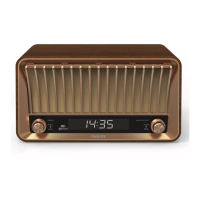
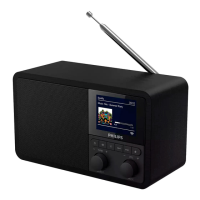
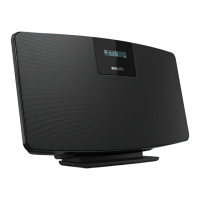
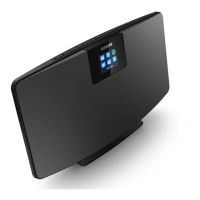
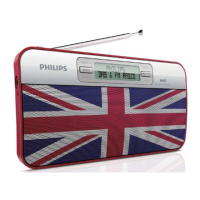
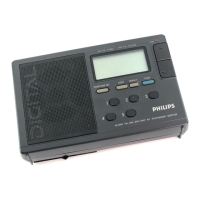
This document describes the Philips R5505 DAB+ radio, a versatile audio device designed for listening to both FM and Digital Audio Broadcasting (DAB) radio, as well as playing audio from Bluetooth-enabled devices. The user manual provides comprehensive instructions for setting up, operating, and maintaining the radio, ensuring users can fully benefit from its features.
Function Description
The Philips R5505 serves primarily as a radio receiver, supporting both traditional FM broadcasts and the newer DAB+ digital radio standard. DAB+ offers a wider selection of stations and improved sound quality compared to FM. In addition to radio functionalities, the device integrates Bluetooth connectivity, allowing users to wirelessly stream audio from their smartphones, tablets, or other Bluetooth-enabled devices.
The radio features a clear display screen that shows current status, station information, time, and menu options. Navigation and control are managed through a combination of buttons and a rotary volume knob. Key controls include a power button for turning the radio on/off and switching to standby, a source button for selecting between Bluetooth, DAB, and FM modes, and dedicated tuning buttons (TUN►►/◄◄TUN) for navigating stations or menu lists. A SCAN/SELECT button is used to confirm selections and initiate auto-scans for radio stations. The volume level is adjusted using the VOL knob.
For convenience, the radio includes preset station buttons (1, 2, 3) for quick access to favorite stations, and a general PRESET button for storing and recalling a larger list of presets. An INFO/MENU button allows users to display detailed information in FM/DAB mode and access the top-level menu for various settings.
Usage Features
Getting Started:
To begin using the radio, users must first prepare the radio antenna by fully extending and adjusting its position for optimal reception. The device can be powered either by AC power using the supplied adapter or by four R14/UM-2/C size batteries (not included) for portable use. Once powered, the radio can be turned on by pressing the power button, and it will switch to the last selected source. The volume level is adjusted using the VOL knob. The radio can be put into standby mode by pressing the power button again, which dims the display and shows the time and date if set. An automatic standby feature engages if the system is idle for 15 minutes.
Listening to DAB Radio:
When DAB radio mode is selected for the first time or if the station list is empty, the radio automatically performs a full scan to find and store all available DAB stations. Users can then navigate through the station list using the tuning buttons. The radio can store up to 20 preset DAB radio stations, which can be saved by tuning to a station, pressing and holding the PRESET button, selecting a preset number, and confirming. Presets can also be saved directly using keys 1-3. While listening, users can view various DAB information such as radio mode, kitchen timer, sleep timer, Dynamic Label Segment (DLS), signal strength, program type (PTY), ensemble name, frequency, signal error rate, bit rate, audio status, time, and date.
The DAB menu, accessed by pressing and holding the INFO/MENU button, offers several options:
- Kitchen Timer: Set a countdown timer.
- Full scan: Perform a full scan for DAB stations.
- Manual tune: Manually tune to a specific channel/frequency.
- DRC (Dynamic Range Control): Compress the dynamic range of the radio signal to balance quiet and loud sounds.
- Prune: Remove invalid stations from the station list.
- Sleep: Set a sleep timer.
- Clock: Set time/date and synchronization options.
- Backlight: Adjust backlight settings (Time out, On level, Dim level).
- System: Access system settings including language selection (English, Deutsch, Italiano, Francais, Nederlands, Norwegian), factory reset, and software version display.
Listening to FM Radio:
In FM mode, users can auto-tune to stations with strong reception by pressing and holding the tuning buttons. Manual tuning is also possible by repeatedly pressing the tuning buttons to select a specific frequency. Similar to DAB, the radio can store up to 20 preset FM radio stations. FM presets can be stored manually or automatically. While listening, users can view FM information such as radio mode, kitchen timer, sleep timer, radio text messages, program type, frequency, time, and date.
The FM menu, accessed by pressing and holding the INFO/MENU button, provides options similar to the DAB menu:
- Kitchen Timer: Set a countdown timer.
- Scan setting: Select scan sensitivity (strong stations only or all stations).
- Sleep: Set a sleep timer.
- Clock: Set time/date and synchronization options.
- Backlight: Adjust backlight settings.
- System: Access system settings including language, factory reset, and software version.
Playing Audio through Bluetooth:
To play audio from a Bluetooth device, users select [Bluetooth] mode on the radio. The radio will display [Not Connected] and flash. On their Bluetooth-enabled device, users enable Bluetooth, search for devices, and select [Philips R5505] to connect. Once connected, the radio display will show [Connected]. The tuning buttons can be used to skip tracks in Bluetooth mode. The Bluetooth menu, accessed by pressing and holding the INFO/MENU button, offers similar settings as the radio modes, including Kitchen Timer, Scan setting, Sleep, Clock, Backlight, and System options.
Other Features:
- Kitchen Timer: A dedicated feature to set a countdown timer, after which the product will buzz. The hour and minute digits can be set using the tuning buttons and confirmed with the SELECT button.
- Sleep Timer: Allows users to set a period (15, 30, 45, 60 minutes) after which the radio will automatically switch to standby, ideal for falling asleep to music or radio. The sleep timer can also be deactivated.
Maintenance Features
Safety and General Care:
The manual emphasizes several important safety precautions:
- Never remove the casing of the radio or lubricate any part.
- Keep the radio away from direct sunlight, naked flames, or heat.
- Ensure easy access to the power cord/plug/adapter for disconnection.
- Provide enough free space around the product for ventilation.
- Refer all servicing to qualified personnel, especially if the radio is damaged (e.g., power cord damage, liquid spills, drops, exposure to rain/moisture).
- Only use manufacturer-specified attachments/accessories and power supplies.
- Unplug the product during lightning storms or when unused for long periods.
- Avoid exposing the product to dripping or splashing liquids.
- Do not place liquid-filled objects or lighted candles on the product.
- The Direct Plug-in Adapter's plug serves as the disconnect device and must remain readily operable.
- Do not use the apparatus near water.
Battery Care:
If using battery power, the manual advises:
- Batteries should not be exposed to excessive heat.
- Replace incorrect battery types with the same equivalent type.
- Do not mix old and new batteries or carbon and alkaline batteries.
- Remove exhausted batteries or if the unit will not be used for a long time.
- A 'Battery low' icon indicates when batteries need replacement or when to connect to AC power.
- Batteries contain chemical substances and should be disposed of properly according to local regulations.
Troubleshooting:
The manual includes a troubleshooting section to address common issues:
- No power: Check AC power plug connection and AC outlet power.
- No sound or poor sound: Adjust volume, check if radio is muted or buffering, fully extend and adjust antenna, keep radio away from other electronic devices.
- No response from the radio: Disconnect and reconnect AC power, then turn on; check if the radio is in standby mode.
- Poor radio reception: Keep radio away from other electronic devices, fully extend and adjust antenna.
- Some stations do not work sometimes: This may be due to limited listener capacity or the station not broadcasting; try again later.
Environmental Care:
The product is designed with high-quality, recyclable materials. Users are encouraged to dispose of old products and batteries according to local regulations to prevent negative environmental and health consequences. Packaging materials are designed to be easily separated for recycling (cardboard, polystyrene foam, polyethylene).
By following these guidelines, users can ensure safe, efficient, and long-lasting operation of their Philips R5505 DAB+ radio.



 To Next Page
 General