4
EN
3 Get started
Always follow the instructions in this chapter in
sequence.
Charge the built-in battery
The speaker is powered by a built-in
rechargeable battery.
Note
• Fully charge the built-in battery before using.
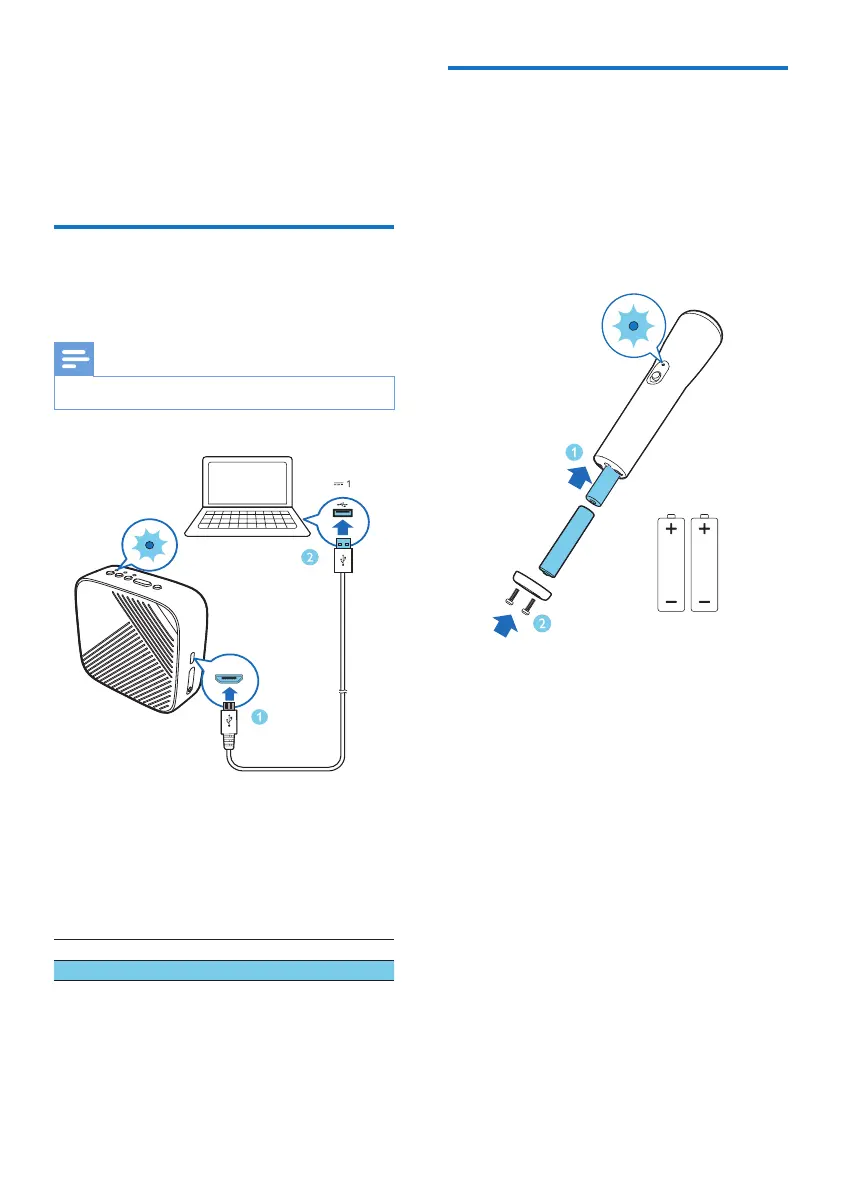
Connect the USB cable between the micro-
USB socket on the speaker and a USB socket
on your computer or a charger.
LED indicator (Power)
Flashing red Being charged
Off Fully charged
Install batteries for the
microphone
1 Open the battery compartment lid.
2 Install 2 AAA alkaline batteries (not
provided) with the correct polarity.
3 Close the battery compartment lid
AAA x 2


 To Next Page