5
EN
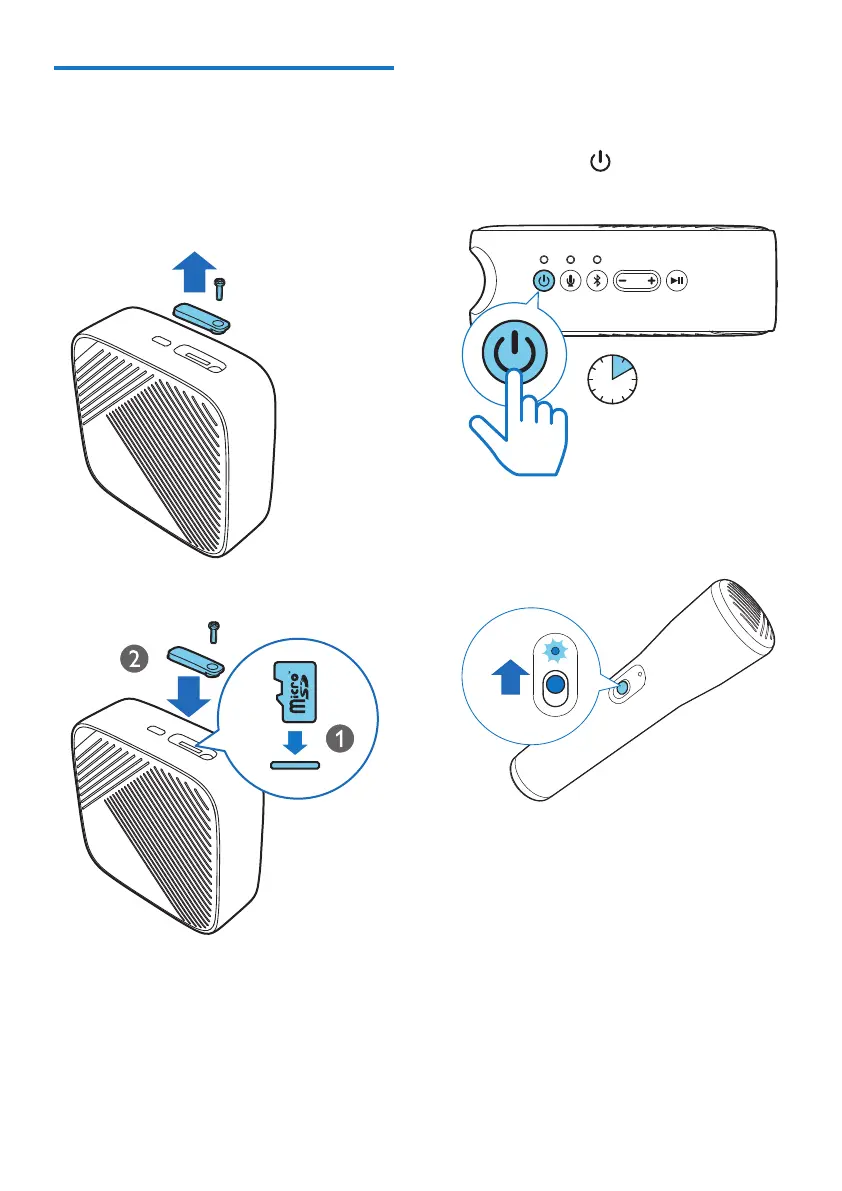
Install a micro-SD card
1 Open the lid of the card slot.
2 Insert a micro-SD card (not provided) with
the pin side facing down till you hear a
click. Then close the lid of the card slot.
5 Power on/off
1 Press and hold for 2 seconds to power
on or off the speaker.
2 sec.
2 Slide up the power switch to power on the
microphone.


 To Next Page