EasyManua.ls Logo

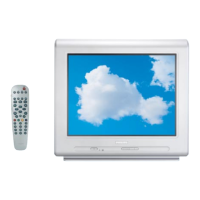
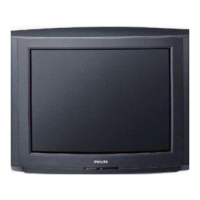
Philips Television Set & Remote Control - User Manual

Philips Television Set & Remote Control
18 pages
Print Icon
To Next Page IconTo Next Page
Loading...
1
Table of contents
Introduction
Installation
TV set and remote control......................................................................................2
Switching on.................................................................................................................2
The keys on the remote control.............................................................................3
The keys on the TV set .............................................................................................3
Menu installation:selecting menu language and country...................................4
Tuning-in TV channels:automatic store.................................................................5
Sort................................................................................................................................5
Manual store................................................................................................................6
Favourite programmes and naming programmes................................................7
Operation
Operating the remote control ................................................................................8
Other functions...........................................................................................................9
Using the menu:adjusting the picture and sound.............................................10
Child lock,storing adjustments.............................................................................11
Programming,message............................................................................................12
Teletext.......................................................................................................................13
Peripherals
Connecting peripheral equipment........................................................................15
Tips..............................................................................................................................17
Glossary.....................................................................................................................18
Index...........................................................................................................................18
Thank you for purchasing this television set.Every effort has been made
to simplify the operation and tuning of the receiver by the use of menus.
These menus are displayed on screen when requested giving easy access
to the various adjustments.
This handbook has been designed to help you install and operate your TV set.
We would strongly advice you read it thoroughly.
Question and Answer IconNeed help?

Do you have a question about the Philips Television Set & Remote Control and is the answer not in the manual?

Summary

Introduction to the Television

Initial TV Installation Steps

Installing the TV Set Safely

Proper placement and ventilation for the television set to ensure stability and prevent overheating.

Connecting the Aerial

Instructions for connecting the aerial plug to the TV set's rear socket.

Connecting the Mains Power

Procedure for plugging the TV into a wall socket for power supply.

Remote Control Battery Setup

Inserting batteries correctly into the remote control for operation.

Switching On the Television

How to turn on the television and understand indicator light behaviour.

Remote Control Button Guide

Teletext Control Buttons

Overview of remote keys for Teletext operations and features.

Standby and Channel Selection Keys

Using the standby button and directional keys for channel selection.

Volume and Numeric Entry Keys

Controlling volume levels and entering numbers with remote keys.

Mute, Previous Programme, and Programmable Keys

Using mute, previous programme recall, and programmable keys.

TV Unit Basic Buttons

On-Unit Navigation Buttons

Description of the physical MENU, - and + keys on the TV set itself.

Installation Menu Operations

Accessing the Installation Menu

Steps to open and view the main INSTALLATION menu on screen.

Navigating Menu Options

How to use directional keys to navigate and adjust menu items.

Setting Language and Country

Setting the display language and country for correct channel tuning.

Channel Tuning Procedures

Automatic Channel Search

Procedure for automatic searching and storing of TV channels.

Programme Sorting and Renumbering

Re-numbering TV programmes to a preferred order.

Manual Channel Tuning

Manual Programme Storage Steps

Step-by-step guide to manually tuning and storing individual TV channels.

Favourite Programme Selection

Managing Favourite Channels

Choosing which programmes to access via the P+ key.

Custom Programme Naming

Naming and Renaming TV Channels

Assigning custom names to programmes and external inputs.

Remote Control Usage

Basic Remote Functions

Using standby, programme selection, and volume controls.

Advanced Remote Operations

Using numerical keys, mute, previous programme, and presets.

Programmable Key Setup

Setting up programmable keys for direct access to adjustments.

Additional Remote Functions

External Sockets and Info Display

Selecting external inputs and viewing screen information.

Time, Preferences, and Sound Modes

Displaying time, accessing preferences, and selecting sound output.

Aspect Ratio and VCR Control

Adjusting picture format and controlling VCR functions.

Menu Navigation and Adjustments

Picture Menu Settings

Modifying brightness, colour, contrast, sharpness, tint, and noise reduction.

Sound Menu Settings

Adjusting balance, treble, bass, surround, and headphone volume.

TV Features and Customization

Child Lock

Enabling and disabling the key lock feature for parental control.

Storing Picture;Sound Settings

Saving global or per-programme adjustments for picture and sound.

Programming Options (Sleeptimer)

Setting the sleeptimer for automatic standby mode.

Scheduled Power On

Timer Setup and Configuration

Configuring clock, start/stop times, and programme numbers for auto-on.

On-Screen Message Feature

Message Creation and Display

Leaving custom messages that appear when the TV is switched on.

Clearing Messages

Procedure to erase any existing on-screen messages.

Teletext Information Service

Accessing Teletext

Turning Teletext on/off and selecting pages by number or subject.

Navigating Teletext Pages

Moving between teletext pages and accessing the main index.

Advanced Teletext Features

Favourite Teletext Page Storage

Saving a preferred teletext page for automatic display.

Teletext Display Customization

Using subtitles, page enlargement, overlay, and revealing hidden info.

Connecting External Devices

Video Recorder & Decoder Connections

Wiring video recorders and decoders to EXT1 and EXT2 sockets.

Connecting Other AV Equipment

Linking satellite receivers, game consoles, and other equipment.

Input Source Selection

Using keys to choose between EXT1, EXT2, and smart control inputs.

Front Panel AV Connections

Camcorder & Audio Input

Connecting camcorders and audio devices to front panel ports.

Audio and Recording Connections

Hi-Fi Amplifier Audio Connection

Connecting the TV's audio output to a hi-fi amplifier.

Recording Copying Procedure

Procedure for copying video content using specific connections.

Troubleshooting and User Tips

Reception & Picture Troubleshooting

Resolving ghosting, black and white pictures, and snowy screens.

Sound, Remote & Standby Issues

Troubleshooting no sound, remote control failures, and standby mode.

General Tips & Recycling

Language selection, message display, and recycling information.

Glossary

Philips Television Set & Remote Control Specifications

General IconGeneral
Display TypeCRT
Remote Control IncludedYes
Aspect Ratio4:3
InputsRF, Composite
Remote Control TypeInfrared (IR)
Remote Control FunctionsPower, Volume, Channel, Input Select, Menu Navigation
Screen SizeVaries by model (e.g., 13", 20", 27", 32")
ResolutionVaries by model (e.g., 480i, 576i)

Related product manuals