
 Need help?
Do you have a question about the Philips Voice Tracer DVT4110 and is the answer not in the manual?
Follow safety instructions for proper operation and avoid damages. Manufacturer not liable for non-compliance.
Information on the built-in battery and cautions for performing a factory data reset.
Guidelines for hearing protection and potential interference with medical devices.
Notes on RF signal effects in vehicles, use in aircraft, and legal recording restrictions.
Instructions for cleaning, disinfecting, and proper disposal of the product.
Overview of the manual's structure and explanation of used symbols for better understanding.
Key features of the VoiceTracer audio recorder, including recording quality and memory.
List of items provided with the VoiceTracer audio recorder for setup and use.
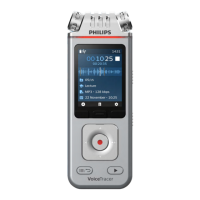
Description of the device's microphones and screen interface.
Identification and function of the main buttons and status indicators on the device.
Details on the device's ports (USB, headphone, mic) and physical features like tripod thread.
Important cautions before connecting and initial charging procedures for the battery.
Instructions on how to turn the device on/off and use the key lock function.
Steps to connect the VoiceTracer to a computer for file transfer and data backup.
Procedures for setting the device's date, time, and language preferences.
Tips for optimal recording quality and essential preparation steps before recording.
How to start a new recording, select folders, and adjust settings.
Instructions on how to append or overwrite parts of existing recordings.
How to start, stop, adjust volume, fast forward/rewind recordings, and bookmarking.
How to play files from a specific folder and delete individual files from the device.
How to enter settings mode, navigate, and select various options on the device.
Detailed settings for recording, including scene, format, mic sensitivity, noise cut, and timer.
Settings related to playback, such as equalizer, clear voice, and playback modes.
Settings for language, brightness, backlight, auto-off, device sounds, storage, and reset.
Information on connecting the VoiceTracer to a smartphone via Wi-Fi for remote control.
Step-by-step guide to download the app, register, and connect your VoiceTracer via Wi-Fi.
Guidelines for participant placement and connecting the meeting microphone to the device.
Instructions on how to start recording using the external meeting microphone.
Advice on extending recording range by connecting multiple microphones in larger spaces.
How to use the VoiceTracer as an external microphone for video or DSLR cameras.
Steps for attaching adapters, connecting cables, and configuring settings for video recording.
Detailed steps for connecting the device to a computer and transferring files.
Instructions for resetting device settings, data, and warnings associated with these actions.
Guide on how to check for and install firmware updates for the VoiceTracer.
Solutions for issues like the device not turning on or becoming unresponsive.
Troubleshooting steps for recording failures and playback issues.
Resolving problems with sound from speakers/headphones and poor audio recording quality.
Details on connectivity options, wireless standards, and system requirements for use.
Specifications for recording formats, quality, audio scenes, and music playback.
Information on device dimensions, power, battery life, and display characteristics.
Details on green specifications, operation conditions, and regulatory compliance statements.
Information regarding open source software used in the product and how to obtain source code.
The Philips VoiceTracer is an audio recorder designed for various recording needs, from personal notes to multi-participant conferences and video camera audio. It offers a range of features to ensure high-quality audio capture, convenient file management, and adaptable usage in different environments.
The primary function of the VoiceTracer is to record audio, offering both MP3 and PCM recording formats. It features multiple microphones, including two omni-directional microphones and one directional microphone for distance zoom recording, allowing users to select the optimal microphone setup for their specific recording situation. The device supports voice-activated recording, which automatically starts when speaking and pauses during silence, conserving memory and simplifying operation. A pre-recording function ensures that the device captures audio a few seconds before the actual event begins, preventing missed moments. For scheduled recordings, a timer function allows users to set a specific date and time for the device to start and stop recording automatically.
Beyond basic recording, the VoiceTracer includes editing capabilities, allowing users to append or overwrite existing recording parts. This is particularly useful for extending a recording or correcting errors without starting a new file. The device also offers various audio scenes (e.g., Note, Speech recognition, Interview, Lecture, Meeting, Music, Video, Custom) with predefined settings for format and microphone sensitivity, which can be further customized in the "Custom" scene.
For playback, the VoiceTracer allows users to navigate through files, adjust volume, and perform fast rewind or fast forward operations. It supports bookmarks, enabling quick jumps to specific points within a recording. The device can play back files from selected folders and offers options to delete individual files.
Connectivity is a key feature, with the VoiceTracer functioning as a USB mass storage device for easy transfer of files to a computer. It also supports wireless connectivity via Wi-Fi, allowing remote control and file sharing through the dedicated Philips VoiceTracer App on a smartphone. This app facilitates convenient transfer of recordings from the device to the smartphone for sharing.
The DVT8110 model includes a meeting microphone, designed for multi-participant conferences, ensuring optimal sound quality when participants are within two meters of the microphone. The DVT7110 model can be connected to a video or DSLR camera to serve as an external microphone, enhancing the audio quality of videos. In this mode, audio is recorded directly onto the camera, not the VoiceTracer itself.
The VoiceTracer is designed for intuitive use, starting with its clear color display and easy-to-navigate menu system. Users can turn the device on and off by sliding and holding the Power switch. A key lock function prevents unintended operations or access when the device is active.
Before recording, users are advised to charge the built-in Li-polymer battery, which takes approximately 3 hours for a full charge. The device can be charged via a computer's USB port or a USB power supply unit (not included for faster charging). It's important to ensure sufficient battery power before recording, as the device will automatically save the current recording and shut down if the battery is critically low.
File management is streamlined with the ability to store recordings in different folders (A, B, C, D), each capable of holding up to 100 files. If a folder becomes full, subsequent recordings are automatically saved to the next available folder. The device also offers an auto-divide function to split recordings into segments based on duration, and an auto-bookmark function to automatically insert bookmarks at set intervals.
Audio enhancement features include a limiter to prevent oversteering by excessive sound input, automatically reducing microphone sensitivity if the maximum sound level is exceeded. A noise cut feature reduces background noise during recording for clearer audio, and a wind filter can be activated in windy environments to minimize wind noise. During playback, ClearVoice sound enhancement and an equalizer with various presets (Classic, Jazz, Pop, Rock) are available to optimize the listening experience.
The device supports multiple languages for its interface, which can be easily changed in the settings. The display backlight and brightness are also adjustable to suit user preferences.
Maintaining the VoiceTracer involves several aspects to ensure its longevity and optimal performance. Regular cleaning is recommended; users should disconnect all cables and use a soft, dry cloth for cleaning. Surface disinfectant wipes can be used for disinfection, but harsh chemicals or strong detergents should be avoided. Care should be taken to prevent moisture from entering openings and to avoid rubbing or striking the surface with hard or sharp objects to prevent scratches or damage.
For data management, the VoiceTracer has an internal memory and supports a microSD card for expanded storage. Users can transfer data to a computer by connecting the device via a USB cable, which is recognized as a mass storage device. It's crucial not to disconnect the USB cable during file transfers to prevent data loss.
The device offers options for resetting data and settings. A factory data reset will delete all data on the device, so backing up data and recordings beforehand is essential. Formatting the memory on a computer is not recommended, as it may cause incompatibilities; formatting should only be done on the device itself. Menu settings can be reset to their default state without deleting user data.
Firmware updates are available to improve device performance and correct errors. Users are encouraged to regularly check the Philips VoiceTracer website for new firmware versions. The update process involves downloading the firmware file to a computer, copying it to the device's root directory, and then disconnecting the device, which will automatically initiate the update. It's important to ensure the device has at least 30% battery power before updating to prevent interruptions.
The built-in Li-polymer battery is not user-replaceable and should only be replaced by authorized service centers or Philips partners. Used batteries should be disposed of at official collection points due to environmental concerns.
Safety instructions emphasize protecting the device from rain, liquids, and excessive heat. Users should not attempt to disassemble or repair the device themselves, as repairs should only be carried out by authorized service centers. Backing up data and recordings is important, as the manufacturer's warranty does not cover data loss resulting from user actions. When using headphones, it's advised to set the volume to a moderate level to protect hearing and to be aware of surroundings, especially in dangerous situations or when operating vehicles. The device should be kept out of reach of small children due to small parts.
For users with implanted medical devices, it's important to maintain a minimum separation of 15.3 cm (6 inches) from the VoiceTracer when it's turned on, and to turn it off immediately if interference is suspected. Wireless transmitters can affect other electronic equipment, so the device should be turned off in aircraft. Legal restrictions on recording vary by country, and users should be aware of and respect privacy laws and personal rights when recording conversations or lectures.
 General
| Impedance | 16 Ω |
|---|---|
| MP3 bit rates | 8 - 320 Kbit/s |
| Frequency range | 50 - 20000 Hz |
| Recording modes | Stereo (ST) |
| Built-in microphone | Yes |
| Maximum recording time | 36 h |
| Audio formats supported | MP3, WAV |
| Signal-to-Noise Ratio (SNR) | 58 dB |
| Standby time | 3 h |
| Product color | Chrome, Silver |
| Storage media | Flash |
| Equalizer modes | Classic, Jazz, Pop, Rock |
| Languages support | DEU, ENG, ESP, FRE, ITA, POL, RUS |
| Packaging content | Recorder, Quick start guide, USB-C cable |
| Headphone connectivity | 3.5 mm |
| Connectivity technology | Wired & Wireless |
| Microphone direction type | Omnidirectional |
| Sound enhancement technology | ClearVoice |
| Display type | LCD |
| Display diagonal | 2 \ |
| Display resolution | 240 x 320 pixels |
| Output power | 200 mW |
| Interface | USB |
| USB connector type | USB Type-C |
| USB 2.0 ports quantity | 1 |
| FM radio | No |
| Media types supported | Flash card |
| Compatible memory cards | MicroSD (TransFlash) |
| Built-in memory capacity | 8 GB |
| Battery capacity | 1000 mAh |
| Other operating systems supported | Android |
| Windows operating systems supported | Windows 10, Windows 7, Windows 8 |
| Harmonized System (HS) code | 85198900 |
 Weight and Dimensions
| Depth | 19 mm |
|---|---|
| Width | 47 mm |
| Height | 129 mm |
| Weight | 93 g |





 To Next Page