55
In the voice mode, long press “INDEX” button to switch to the
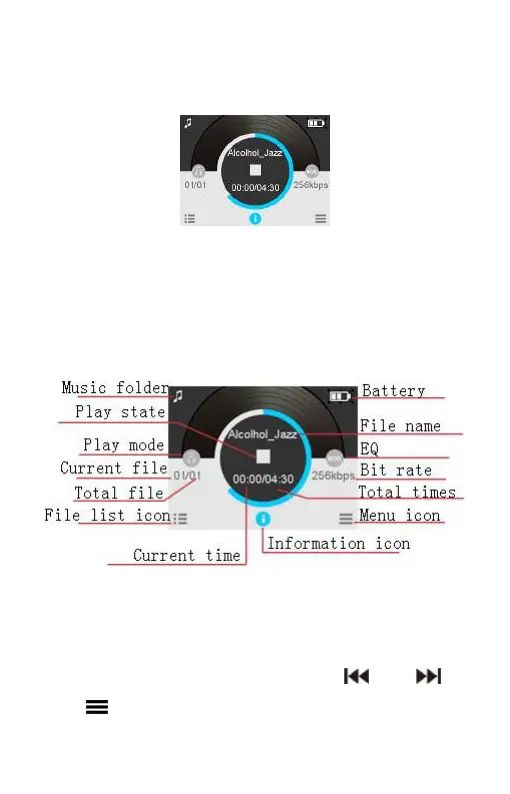
music folder. Music playback interface is as follows:
Note: music files can only be played when they are in “MUSIC”
folder.
Music playback Interface illustration:
Playing mode
You can select the track you want by pressing “ ” and “ ” or
press button to select file list icon, press “+” or “-” to select















 To Next Page