59
You can change settings according to your preference.
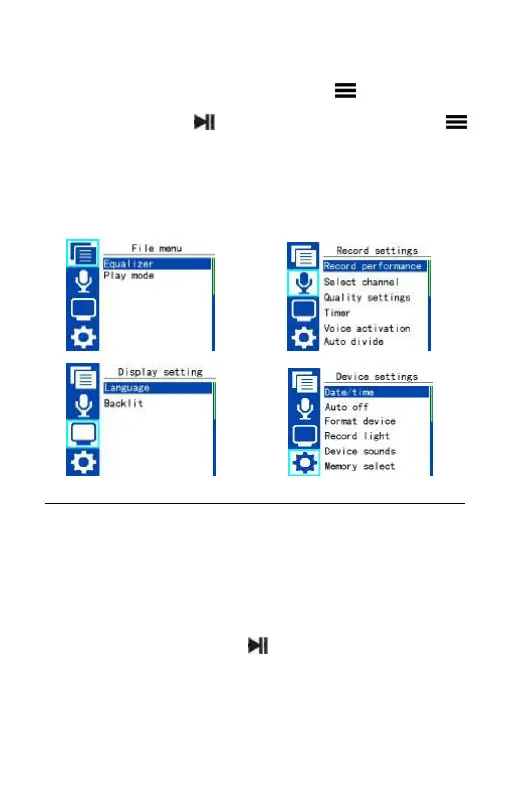
In voice mode or music mode, shortly press button to select
the menu icon, press button to enter. Or long press
button to enter. The Setting mode interface includes File menu,
Record settings, Display settings and Device settings. The setting
mode is as follows:
File menu
File menu includes: Equalizer and Play mode. You can change settings
according to your preference. File menu interface is as follows:
Equalizer
Select the menu Equalizer, press to enter. The equalizer includes:
Off, Rock, Pop, Soft, Jazz, Classical and DBB. Equalizer interface is as
follows:















 To Next Page