5 Features
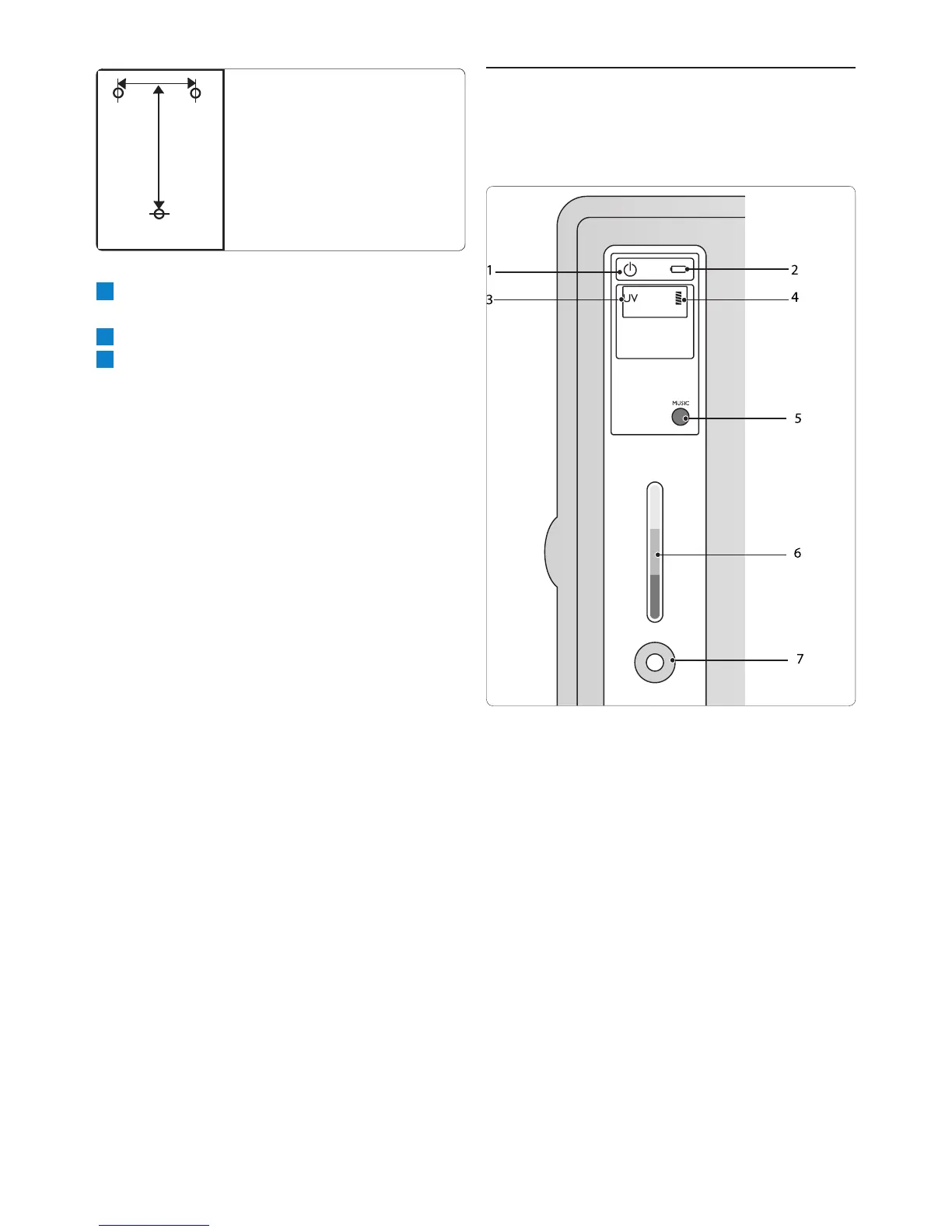
5.0.1 Display panel description
1 Power-on indicator
2 Battery indicator (type WP3891 only)
3 UV indicator
4 Filter indicator
5 Audio setting button
6 Purication stage indicator
7 Dispense button
3 Screw 3 screws into the holes and place the
pure water dispenser onto the screws.
4 Connect the water inlet hose to the tap.
5 Put the mains plug in the wall socket.


 To Next Page