55BDL3207X
34
Keypad control
Choose to enable or disable the display Keypad (control
buttons) function.
• {Unlock} - Enable the Keypad function.
• {Lock All} / {Lock all but Volume} / {Lock all but Power}
/ {Lock all except PWR & VOL} - Disable the Keypad
function.
NOTE: “Keypad Control Lock Mode” This function
completely disables the access to all Keypad Control
functions. To enable or disable the Keypad control
lock, press both [ ] and [ ] buttons and hold down
continuously for more than 3 seconds.
Tiling
With this function you can create a single large-screen matrix
(video wall) that consists of up to 225 sets of this display (up
to 15-sets on the vertical and 15-sets on the horizontal sides).
This function requires a daisy-chain connection.
Tiling
H monitors
V monitors
Position
Frame Comp.Top
Frame Comp. Bottom
Frame Comp. Left
Frame Comp. Right
Frame Comp.
Enable
Switch on delay
Brightness
Output Content
1
1
1
0
0
0
0
Off
Off
Off
Normal
Current Video
Example: 2 x 2 screen matrix (4 displays)
H monitors = 2 displays
V monitors = 2 displays
1 2
3 4
H monitors
V monitors
Position
Example: 5 x 5 screen matrix (25 displays)
H monitors = 5 displays
V monitors = 5 displays
1 2
6 7
3 4
8 9
5
10
11 12 13 14 15
16 17 18 19 20
21 22 23 24 25
H monitors
V monitors
Position
• {H monitors} - Select the number of displays on the
horizontal side.
• {V monitors} - Select the number of displays on the
vertical side.
• {Position} - Select the position of this display in the screen
matrix.
• {Frame comp. Top} - set the pixel numbers of top frame
compensation
• {Frame comp. Bottom} - set the pixel numbers of bottom
frame compensation
• {Frame comp. Left} - set the pixel numbers of left frame
compensation
• {Frame comp. Right} - set the pixel numbers of right
frame compensation
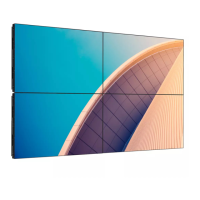
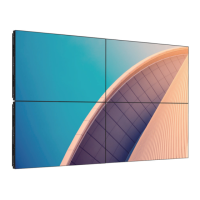
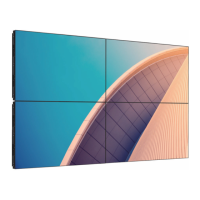
• { Frame comp.} - Choose to turn the frame compensation
function on or o. If selected {Yes}, the display will adjust
the image to compensate for the width of the display
bezels in order to accurately display the image.
{On}
Tiling
H monitors
V monitors
Position
Frame Comp.Top
Frame Comp. Bottom
Frame Comp. Left
Frame Comp. Right
Frame Comp.
Enable
Switch on delay
Brightness
2
2
1
0
100
0
100
On
On
Off
Normal
{O}
Tiling
H monitors
V monitors
Position
Frame Comp.Top
Frame Comp. Bottom
Frame Comp. Left
Frame Comp. Right
Frame Comp.
Enable
Switch on delay
Brightness
2
2
1
0
100
0
100
Off
On
Off
Normal










 To Next Page
