Getting Started 9
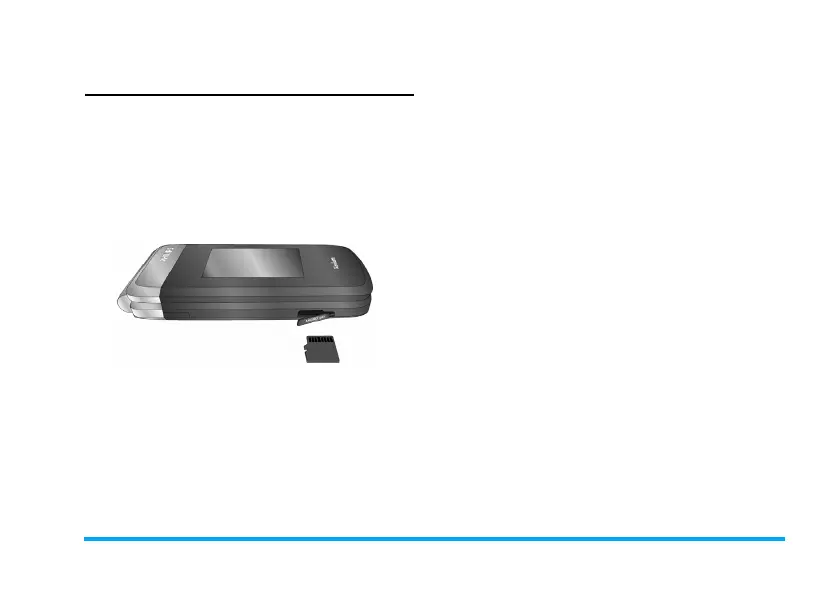
Insert Micro-SD card (memory
card)
You can expand the memory of your phone by
adding a micro-SD card.
Supported capacity: up to 8GB
1. As shown, open the Micro SD cover.
2. As shown, align your micro-SD card with the
slot. Put it in place.
3. Replace the Micro SD cover.
X700_En_Book.book Page 9 Wednesday, April 15, 2009 3:37 PM



 To Next Page