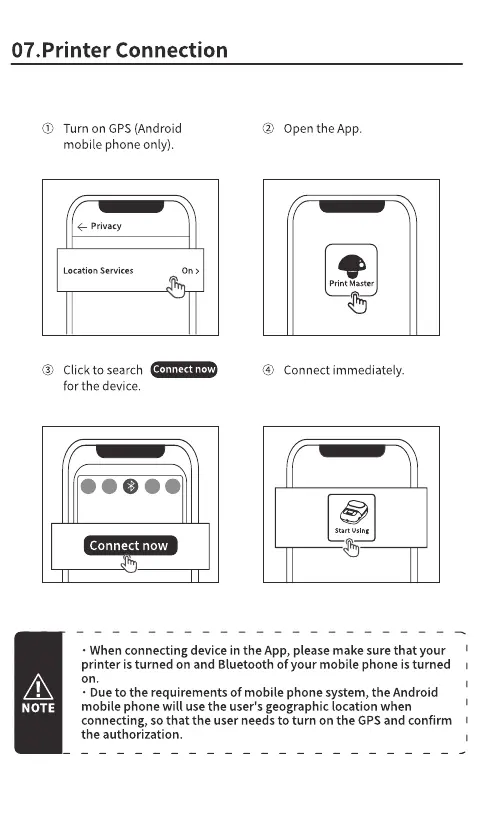
07.Printer Connection
Turn on GPS (Android
mobile phone only).
privacy
Location Services On >
Open the App.
Print Master
Connect immediately.
Click to search
Connect now
for the device.
Connect now
NOTE
• When connecting device in the App, please make sure that your
printer is turned on and Bluetooth of your mobile phone is turned
on.
• Due to the requirements Of mobile phone system, the Android
mobile phone will use the user's geographic location when
connecting, so that the user needs to turn on the GPSand confirm
the authorization.



 To Next Page