05. Installing the Paper Roll
English
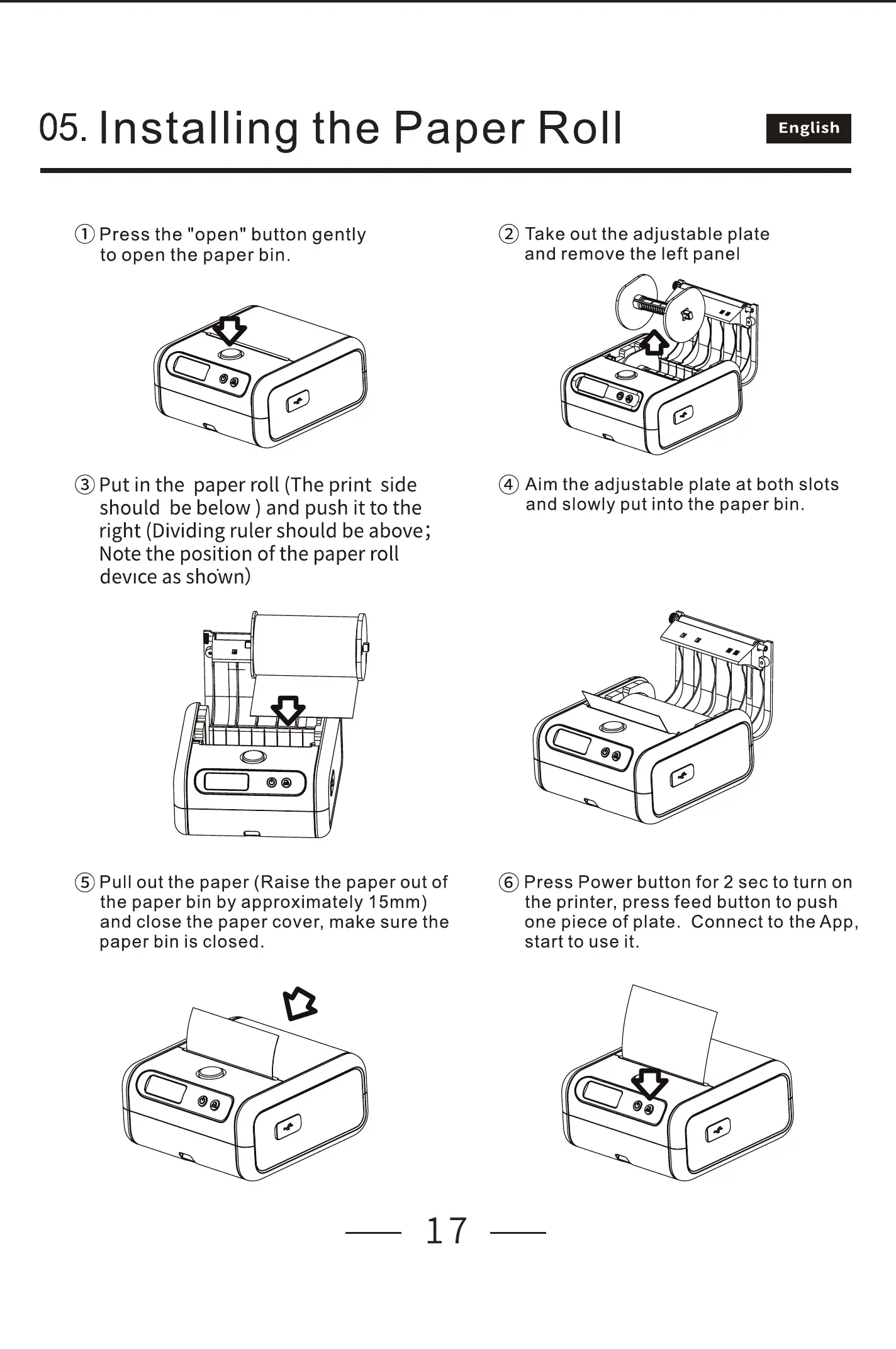
@ Press the "open" button gently
to open the paper bin.
@ Put in the paper roll (The print side
should be below ) and push it to the
right (Dividing ruler should be above;
Note the position of the paper roll
device as shown)
@ Pull out the paper (Raise the paper out of
the paper bin by approximately 15mm)
and close the paper cover, make sure the
paper bin is closed.
17
@ Take out the adjustable plate
and remove the left panel
@ Aim the adjustable plate at both slots
and slowly put into the paper bin.
@ Press Power button for 2 sec to turn on
the printer, press feed button to push
one piece of plate. Connect to the App,
start to use it.



 To Next Page