PHONIC CORPORATION
Page 5
PHONIC CORPORATION
DB2 USER’S MANUAL
CONTROL DESCRIPTION
CONTROL DESCRIPTION
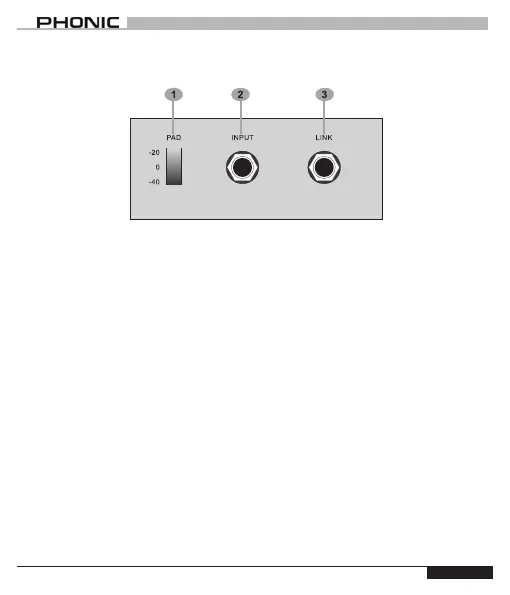
1 PAD Switch
Use this switch to increase the oper-
ating range of DB2. When set at
-20dB, the input signal will be atten-
uated by -20dB; the signal will be
reduced by -40dB when you set it at
-40dB. A handy design for either elec-
trical guitar or for low level signal of
high impedance microphones.
2 INPUT Jack
The input of DB2 accepts 1/4” unbal-
anced jack.
3 LINK Output
Connect directly to your guitar amplier
or an active speaker with this output.



 To Next Page