13
EN
Start-up operations
Language settings Source switching
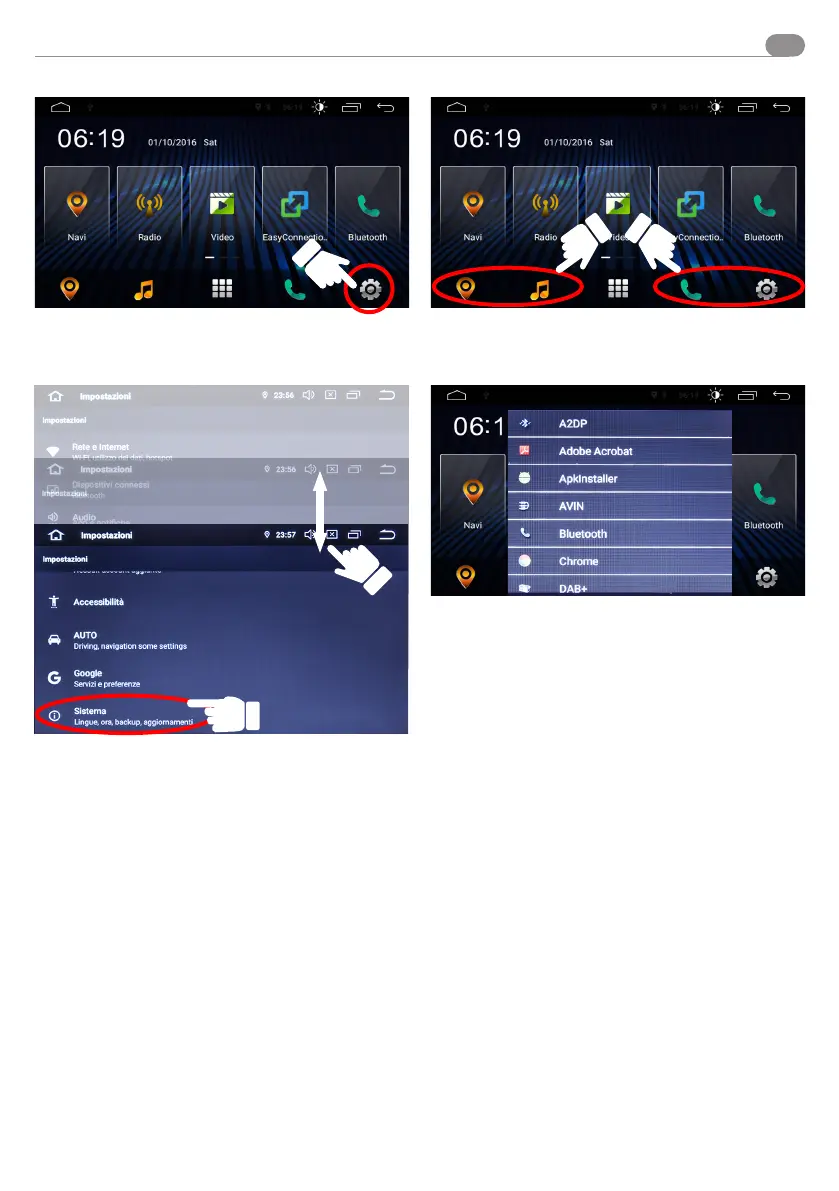
Set the language before using the VM045:
enter the settings menu.
Scroll through the menu, dragging from top to bottom, to the
SYSTEM menu and enter.
Search and select the required language.
Press and hold the highlighted icons to enter the resources
shortcut menu.



 To Next Page